 Saved
 1 look
 Works in ChatGPT & Gemini
 Updated 6 Nov 2026


 Newest first
Retro
Collection
Retro AI Photo Prompts for ChatGPT & Gemini
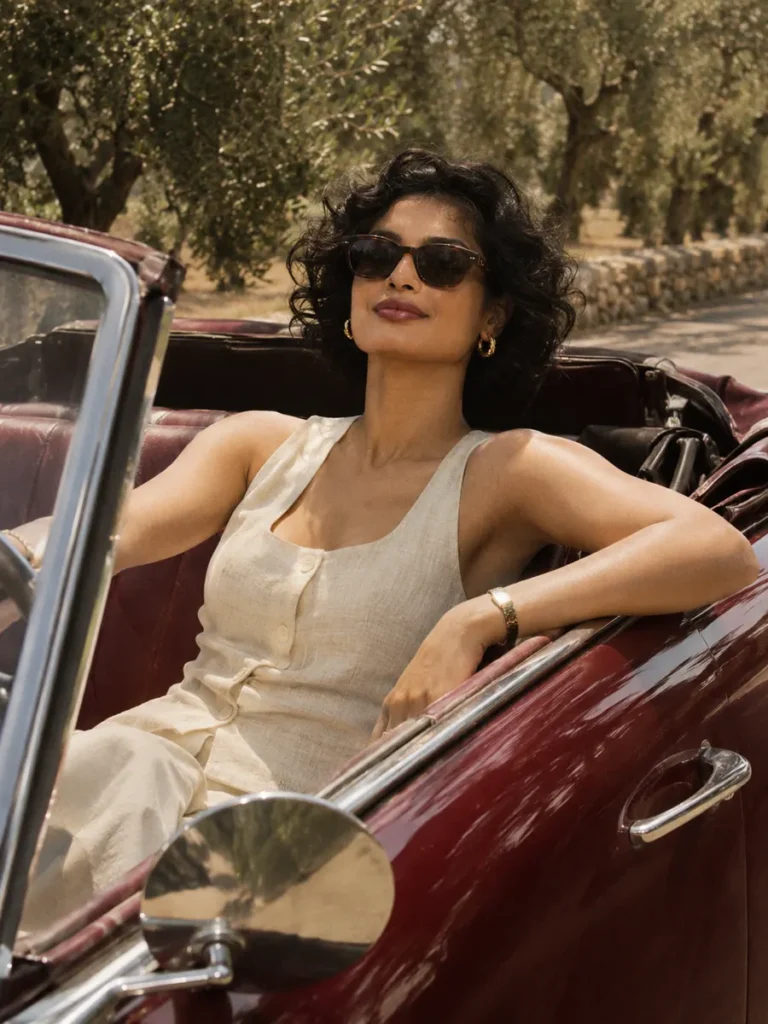
A vintage car portrait with sunlit scenery, soft film colour and an original prompt you can make your own.
1 look
Works in ChatGPT & Gemini
Updated 6 Nov 2026
Newest first

Tips for
retro photos
Use a clear, well-lit photo with your face towards the camera.
Keep the first lines of the prompt. They ask the tool to keep your face.
Want a small change? Reply in the same chat, like “make the light warmer”.
Start with the retro car look: a burgundy convertible, cream linen and a relaxed afternoon mood. Use it as a styling direction while keeping your own face and recognizable features.
Make this style work with your photo
Keep the face visible
A clear reference helps when the scene includes sunglasses. If the likeness drifts, try the first result without sunglasses, then add them in a separate edit.
Ask for subtle film colour
Gentle grain and softer contrast can carry the mood. Heavy blur or texture can hide facial detail and make the image look damaged.
Check the car and hands
Inspect where the arms meet the door and seat. If the pose is awkward, simplify it and ask for natural hand placement.
Ready to try it?
Open a look for its full prompt and photo requirements. Copy it, open ChatGPT or Gemini, upload your photo there and paste. Keep the identity instructions when you customize the scene.