 Saved


 Works in ChatGPT & Gemini

 Open ChatGPT
 Open Gemini

New
 🔥 Trending
Share
Mountain Couple Photo Editing Prompt
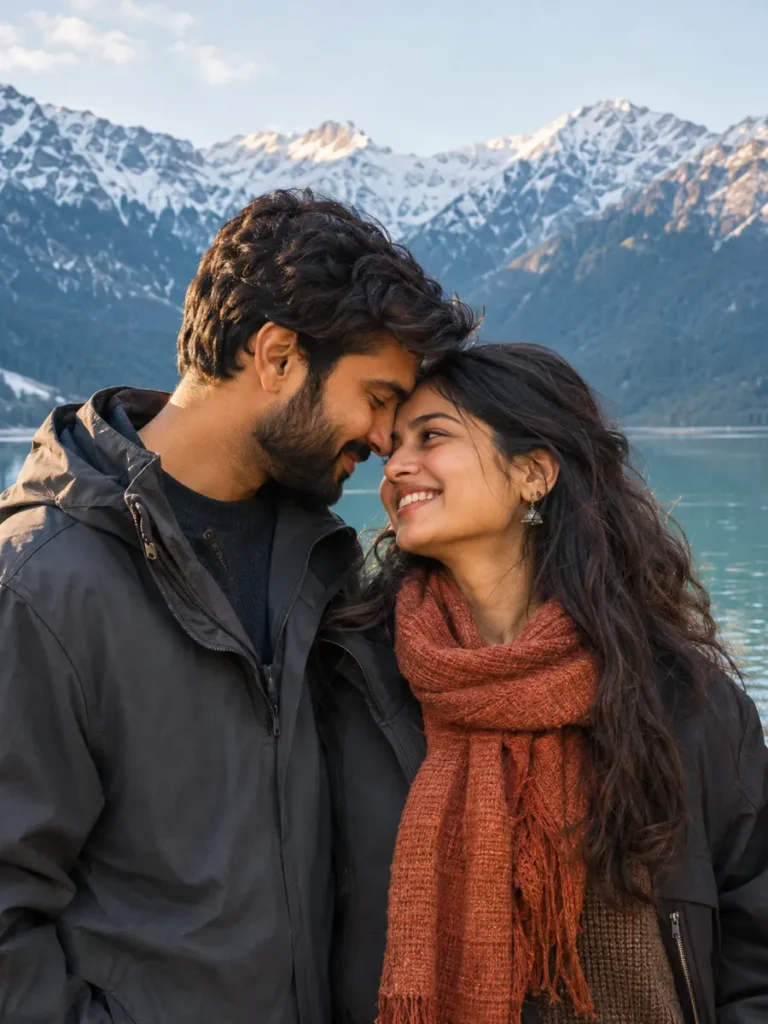
Create a quiet mountain-lake portrait of the two of you with snowy peaks, dark jackets and a rust scarf. Use one clear couple photo so the prompt can refer to each person separately.
Look #1004 Works in ChatGPT & Gemini
💑 Couple
Updated 5 Nov 2026
Your prompt
Edit the uploaded couple photo. Use the two people in it as separate identity references. Preserve each person's recognizable face, natural skin tone, apparent age, hairstyle and distinctive features. Keep both identities distinct; do not swap, merge or replace either face. Avoid heavy beauty retouching.

Place the same two people beside a still alpine lake with snowy mountains behind them. Dress the person on the left in the reference in a charcoal jacket, and the person on the right in a dark jacket and rust scarf. Keep them waist-up, gently touching foreheads with relaxed smiles. Use cool blue-green scenery and soft late-afternoon light on both faces. Give both people comfortable, believable poses without overlapping their facial features.

Use a vertical 3:4 composition with both heads fully visible and both faces sharp. Keep skin texture natural, bodies comfortably separated and proportions believable. Avoid blended faces, duplicated people, tangled limbs, malformed hands, added lettering and decorative watermarks. Preserve both identities ahead of small styling details.
Quick changes (optional)
Place
Shape
Photo you need: One clear photo showing both of you, with both faces visible.
About this look
Best forAnniversaries, couple posts, profile pictures
Photo needed1 photo of you both
Works inChatGPT, Gemini
ShapePortrait 3:4 (changeable)
How to use this mountain couple portrait prompt
- Choose a clear photo
One clear photo showing both of you, with both faces visible.
- Copy the complete prompt
Keep the identity instructions. You can edit the scene text before copying if you want a different variation.
- Upload in your chosen tool
Open ChatGPT or Gemini, upload your reference photo there, paste the prompt and send.
- Check the result
Check both faces separately, especially where the foreheads meet.
Tips for this mountain couple portrait
- Choose a photo where both faces are visible and neither person is hidden.
- Keep left and right identities consistent with the uploaded reference.
- Start with a relaxed waist-up pose before asking for more complex hand positions.
If the two faces blend together
Ask for a small gap between the foreheads and clearly separate facial features. Keep each person on the same side as in the reference and check both identities again.
Common problems and quick fixes
😕 Faces don't look like us
Use a sharper photo taken in daylight. Then reply “keep both our faces exactly as in my photo”.
👥 Our faces got mixed
Don't remove the first lines of the prompt. They tell the tool to keep you two separate.
🌫️ Face looks too dark
Reply “add soft warm light on the face, keep the background the same”.
✋ Hands look odd
Reply “fix the hands, keep everything else the same”.
You might also like
More looks people are making this week.