Coming up: Christmas
 Find my look in 3 taps















































 Boys
Blindfold and Floating Polaroids AI Photo Prompt for Boys
Copy this AI photo prompt for boys below and paste it into ChatGPT or Gemini with your own photo.
Your prompt
Edit the uploaded photo. Use the person in it as the identity reference. Keep their face shape, eyes, nose, lips, skin tone, age and hair exactly as they are. No face reshaping, no plastic-smooth skin.

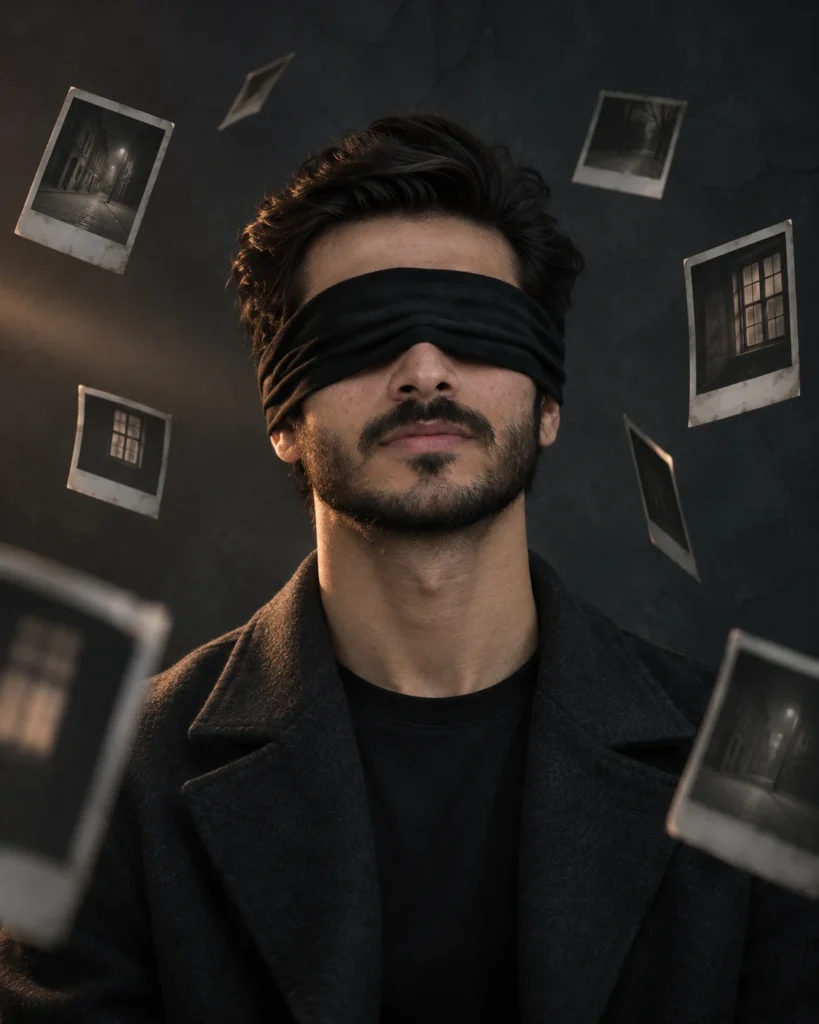
In a dark room with charcoal plaster walls and faded white-bordered instant photos floating at different depths, showing empty streets and windows, the person sits with his chin slightly raised for a chest-up portrait; a narrow beam from the left catches his jaw and the turned edges of the photos. Leave a clear gap around his face, with only the prints nearest the lens softly blurred.

Styling: a charcoal wool coat over a black crew-neck top and a matte black cloth blindfold.

Cool shadows and a soft amber edge light create a quiet, uneasy mood. Real photo look, natural skin texture, true-to-life colours, crisp detail. 4:5 frame. No watermark.
Collections and similar looks
Share
Help for this look
How to make it, tips, answers and quick fixes. Tap a row to open it.
What this prompt creates
Under a narrow beam of light, you sit in a dark room with a strip of matte black cloth over your eyes. The portrait ends at your chest, with a charcoal coat framing your shoulders. Old instant photos of empty streets and windows hang around you. The prints closest to the camera soften into a blur, while the light picks out your jaw and a few of the faded white borders.
Make it yours
- Replace the street prints with empty train platforms.
- Try a dark brown coat.
- Ask for a cooler edge light.
Want to know more? Read about instant cameras on Wikipedia.
How to make this blindfold and floating polaroids photo
- Pick a clear photo
Face towards the camera in good light. Any outfit is fine; the prompt changes it.
- Copy the prompt
Swap the street photos for empty railway platforms.
- Paste with your photo
Open ChatGPT & Gemini, upload your photo, paste and send.
- Fine-tune it
Ask for more space between the prints and your face.
Tips for this look
- Start with both eyes visible in your upload.
- Try a relaxed mouth and a slight chin lift.
- Use 4:5 to leave room for the prints.
- Upload a photo with your eyes uncovered.
- Pick a picture with light along one cheek.
- Leave some space above your head.
Quick answers
Should I wear a blindfold in my upload?
Use a clear everyday photo. The prompt adds the cloth.
Can I use my own snapshots?
Attach them and say which ones should appear in the floating prints.
Common problems and quick fixes
😕 My face doesn’t look like me
Use a sharper, front-facing photo in daylight, then reply “keep my face exactly as in my photo, only change the scene”.
🌙 My face looks too dark
Reply “add soft warm light on my face, keep the background the same”.
👗 The outfit colour isn’t right
Use the outfit quick change, or reply “make the outfit exactly [colour]”.
🎨 Skin looks too smooth
Reply “keep my natural skin texture, no beauty filter”. Small follow-ups work better than starting over.
More looks for boys
Similar looks, picked by style and occasion.