Coming up: Christmas
 Find my look in 3 taps















































 Boys
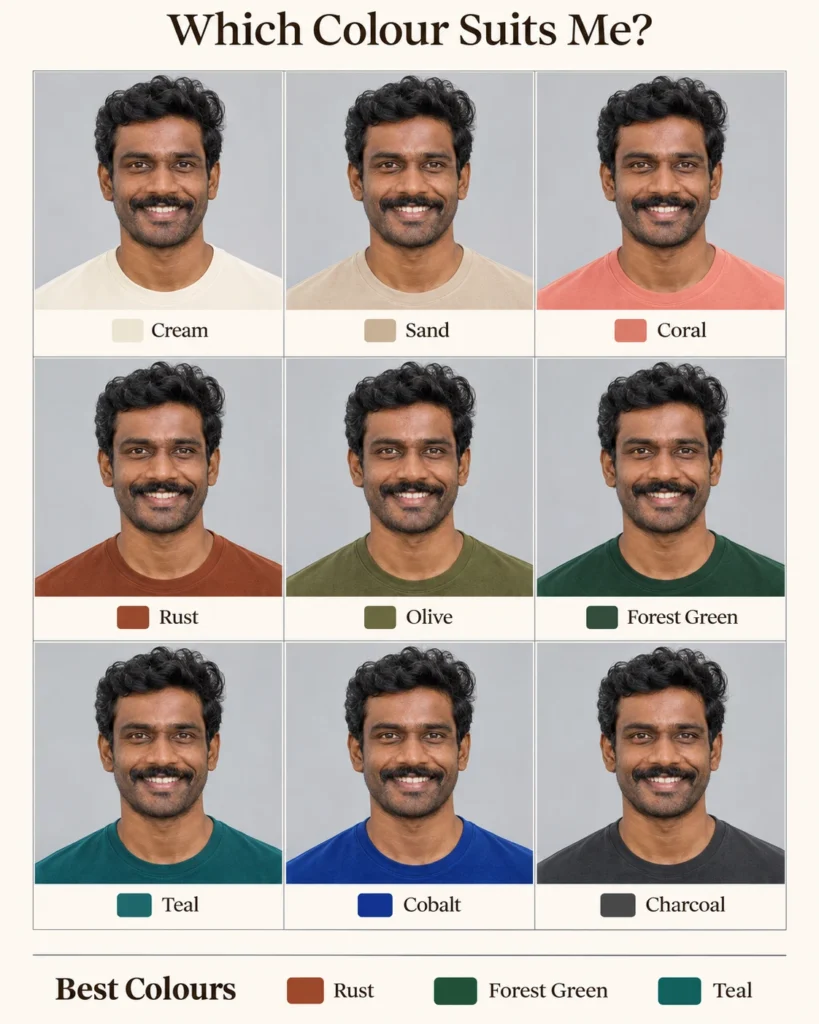
Which Colour Suits Me? Shirt Chart AI Photo Prompt for Boys
Copy this AI photo prompt for boys below and paste it into ChatGPT or Gemini with your own photo.
Your prompt
Edit the uploaded photo. Use the person in it as the identity reference. Keep their face shape, eyes, nose, lips, skin tone, age and hair exactly as they are. No face reshaping, no plastic-smooth skin.

Lay out nine chest-up photos of the person in a pale-grey studio with even daylight-balanced light and a warm-white magazine page around the photos as a three-by-three magazine board under the heading Which Colour Suits Me?, keeping his expression, skin tone, shirt cut, pose and light fixed as the shirt colour changes. Add a small labelled colour chip below each photo and a separate Best Colours row that repeats three chips from the board based on how they look next to his face.

Styling: one plain crew-neck cotton shirt repeated in cream, sand, coral, rust, olive, forest green, teal, cobalt and charcoal.

Soft neutral light, thin grey dividers and airy white margins. Real photo look, natural skin texture, true-to-life colours, crisp detail. 4:5 frame. No watermark.
Collections and similar looks
Share
Help for this look
How to make it, tips, answers and quick fixes. Tap a row to open it.
What this prompt creates
On a warm-white magazine page, you appear nine times in the same crew-neck shirt. The fabric shifts from light cream and sand to colours such as coral, olive and cobalt. A small labelled chip sits below each photo. At the bottom, a Best Colours row repeats three of the shades so you can see that shortlist together at a glance.
Make it yours
- Add burgundy in place of coral.
- Swap charcoal for a blue you wear often.
- Compare two versions of green by adding a lighter olive.
Want to know more? Read about colour analysis for clothing on Wikipedia.
How to make this which colour suits me? shirt chart photo
- Pick a clear photo
Face towards the camera in good light. Any outfit is fine; the prompt changes it.
- Copy the prompt
Replace any of the listed shades with colours you actually wear.
- Paste with your photo
In your chosen app (ChatGPT & Gemini are both options), upload your photo, paste and send.
- Fine-tune it
Ask for identical exposure and skin tone in all nine photos.
Tips for this look
- Upload a daylight photo without a colour filter.
- Choose an image where your neck and face are visible.
- Avoid strong light reflected from coloured walls.
- Use a face photo taken in neutral daylight.
- Keep your neck visible above the collar.
- Pick a photo with even light on both cheeks.
Quick answers
Does the shirt design change?
Only the shirt colour changes in the comparison.
How should I use the Best Colours row?
Treat it as a shortlist of shades to try on in daylight.
Common problems and quick fixes
😕 My face doesn’t look like me
Use a sharper, front-facing photo in daylight, then reply “keep my face exactly as in my photo, only change the scene”.
👗 The outfit colour isn’t right
Use the outfit quick change, or reply “make the outfit exactly [colour]”.
🎨 Skin looks too smooth
Reply “keep my natural skin texture, no beauty filter”. Small follow-ups work better than starting over.
🔁 It isn’t quite the look
Regenerate once, or reply with one change at a time, like “wider shot” or “warmer light”.
More looks for boys
Similar looks, picked by style and occasion.