Coming up: Christmas
 Find my look in 3 taps

















































 Portrait
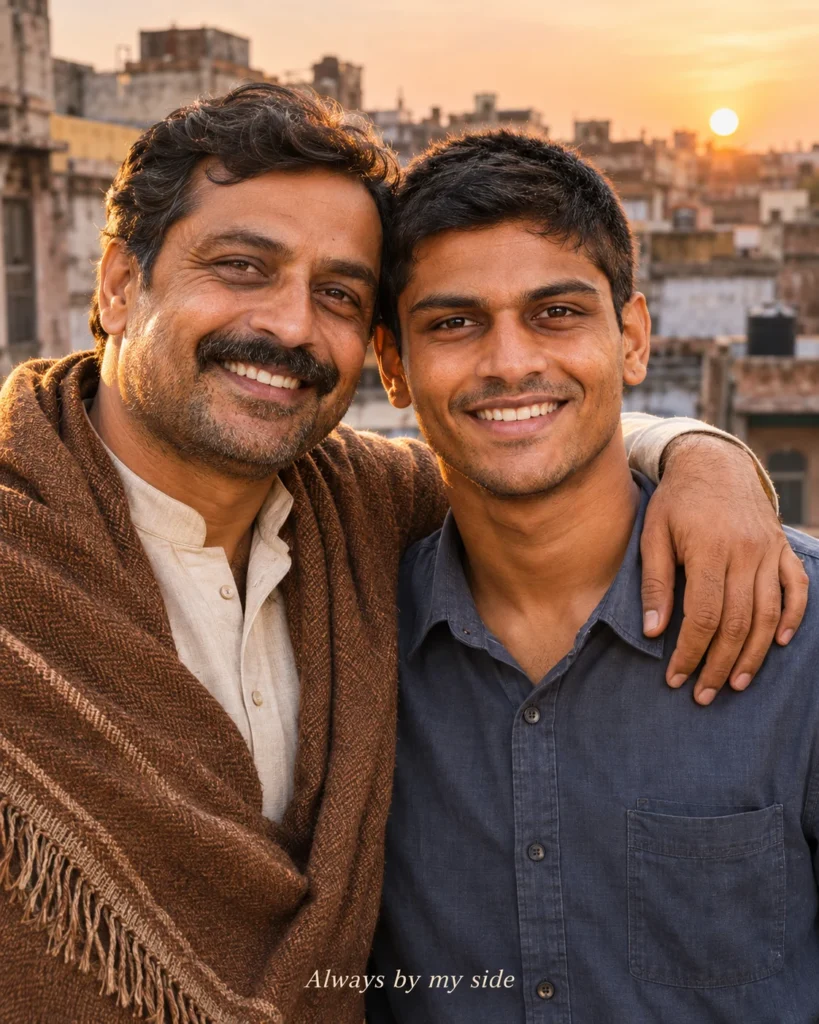
Sunset Terrace Father and Son Portrait AI Photo Prompt
Copy this family AI photo prompt below and paste it into ChatGPT or Gemini with a photo of your family.
Your prompt
Edit the uploaded photos: one of the parent and one of the child. Use each person as their own identity reference and keep each face exactly as it is: face shape, eyes, nose, lips, skin tone, age and hair. Keep the two people clearly separate.

On a sunset terrace overlooking the closely packed roofs of an old city, frame the father and teenage son closely from the chest up, both smiling at the camera with the father's arm around his son's shoulders. If a caption is supplied, set ‘Always by my side’ in small type at the bottom, clear of their faces.

Styling: a brown wool shawl over an ivory kurta for the father, and a slate-blue casual shirt for his teenage son.

Warm side light across both faces, soft old-city roofs and clear wool texture. Photographic detail and natural skin texture. 4:5 frame. No watermark.
Collections and similar looks
Share
Help for this look
How to make it, tips, answers and quick fixes. Tap a row to open it.
What this prompt creates
Your father wraps an arm around your shoulders as you both smile towards the camera on a terrace. He wears a brown wool shawl over a pale kurta, and you wear a simple slate-blue shirt. The chest-up framing leaves a soft view of the old city roofs behind you. Late sun reaches both faces, and there is room for a short caption at the bottom if you want one.
Make it yours
- Use a charcoal shawl over the kurta.
- Describe the rooftop view from your own terrace.
- Add a short family caption or omit it for a plain print.
Want to know more? Read about families on Wikipedia.
How to make this sunset terrace father and son portrait
- Pick a clear photo of you and your child
Face towards the camera in good light. Any outfit is fine; the prompt changes it.
- Copy the prompt
Add a short caption at the bottom if you want one.
- Paste with your photo
This prompt is for ChatGPT & Gemini. Open either app, upload your photo, paste the prompt and send.
- Fine-tune it
Ask for both faces to stay equally sharp.
Tips for this look
- Use a photo where both of you are smiling naturally.
- Two clear separate photos work if you have no photo together.
- Keep the shoulders visible so the arm placement makes sense.
- Pick a photo with both smiles in focus.
- Separate references work when both faces have clear light.
- Include each person's shoulders to help set the side hug.
Quick answers
Do I need to add words?
The caption is optional. Leave it out for a plain portrait.
Can we both face the camera?
Yes. The close frame is designed for both of you looking at the lens.
Common problems and quick fixes
😕 My face doesn’t look like me
Use a sharper, front-facing photo in daylight, then reply “keep my face exactly as in my photo, only change the scene”.
🔤 The words are spelt wrong
Reply “fix the spelling, it should read: …” with the exact words. Short names come out cleanest.
👶 The child’s face changed
Reply “keep the child’s face exactly as in my photo”. Add a clear photo of the child if you can.
👥 People in the background look strange
Reply “blur the people in the background more” so the focus stays on you.
More family looks
Similar looks, picked by style and occasion.