 Saved


 Works in ChatGPT & Gemini

 Open ChatGPT
 Open Gemini

Retro
 New
Share
Beach Portrait Photo Editing Prompt
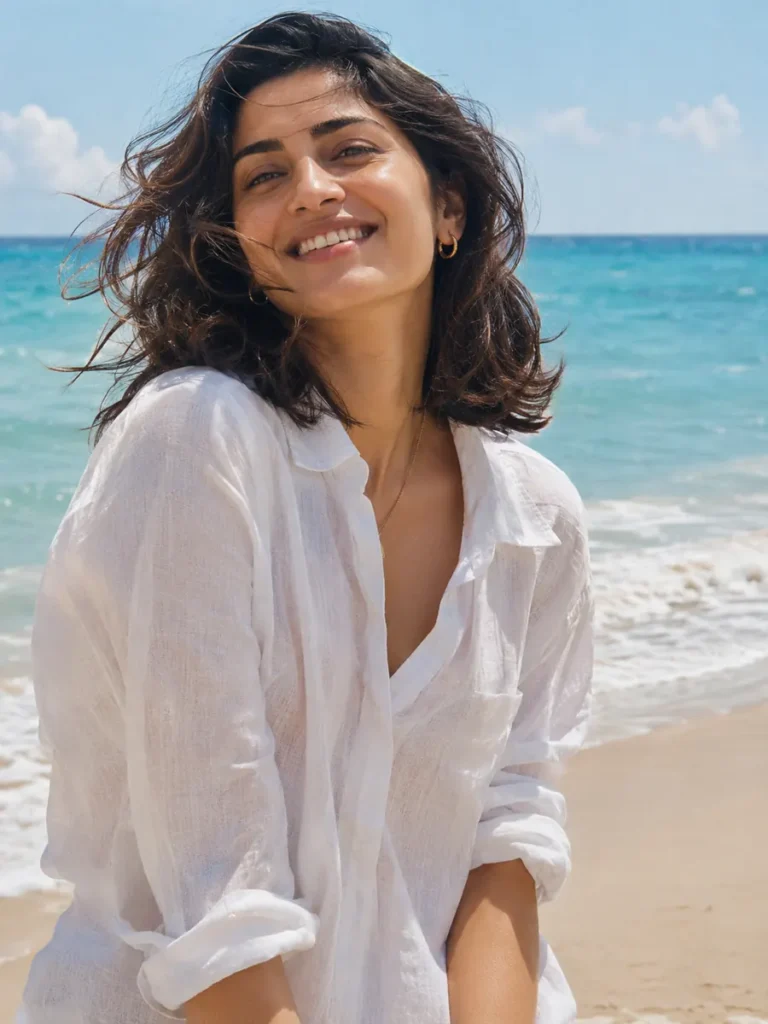
Make an airy beach portrait with a white linen shirt, an azure ocean and gentle travel-film colour. Use your own photo as the reference, then copy the prompt into ChatGPT or Gemini.
Look #1007 Works in ChatGPT & Gemini
Portrait
Updated 5 Nov 2026
Your prompt
Edit the uploaded photo. Use the person in it as the identity reference. Preserve their recognizable face, natural skin tone, apparent age, hairstyle and distinctive features. Do not replace them with a different model or apply heavy beauty retouching.

Place the same person beside an azure ocean and pale sandy beach, wearing a white linen shirt. Use a relaxed waist-up pose, a candid smile and a soft sea breeze. Keep the original hairstyle recognizable while allowing a little natural movement. Use gentle sunlight, airy turquoise and cream colours and subtle travel-film grain. Keep the face well exposed and the horizon level.

Use a vertical 3:4 composition. Keep the full head visible, the face sharp, skin texture natural and body proportions believable. Avoid extra people, duplicated facial features, malformed hands, added lettering and decorative watermarks. Preserve likeness ahead of small styling details.
Quick changes (optional)
Place
Outfit
Shape
Photo you need: One clear photo of you, with your face visible and well lit.
About this look
Best forProfile pictures, Instagram posts and stories
Photo needed1 clear photo of you
Works inChatGPT, Gemini
ShapePortrait 3:4 (changeable)
How to use this beach portrait prompt
- Choose a clear photo
One clear photo of you, with your face visible and well lit.
- Copy the complete prompt
Keep the identity instructions. You can edit the scene text before copying if you want a different variation.
- Upload in your chosen tool
Open ChatGPT or Gemini, upload your reference photo there, paste the prompt and send.
- Check the result
Check the horizon, hair movement and face exposure.
Tips for this beach portrait
- Choose a reference with soft, even light rather than a very dark silhouette.
- Keep the white shirt and turquoise water for a clean coastal palette.
- Ask for a gentle breeze so the hairstyle stays recognizable.
If the face is washed out
Ask for balanced exposure on the face and softer sunlight. Keep the ocean bright without losing natural skin detail or turning the background into a flat white area.
Common problems and quick fixes
😕 Face doesn't look like me
Use a sharper, front-facing photo in daylight. Then reply “keep my face exactly as in my photo”.
🎨 Skin looks too smooth
Reply “keep my natural skin texture, no beauty filter”. Small follow-ups work better than starting over.
🌫️ Face looks too dark
Reply “add soft warm light on the face, keep the background the same”.
✋ Hands look odd
Reply “fix the hands, keep everything else the same”.
You might also like
More looks people are making this week.