


 Coming up: Christmas
 Find my look in 3 taps















































 Girls
Architect Portrait AI Photo Prompt for Girls
Copy this AI photo prompt for girls below and paste it into ChatGPT or Gemini with your own photo.
Your prompt
Edit the uploaded photo. Use the person in it as the identity reference. Keep their face shape, eyes, nose, lips, skin tone, age and hair exactly as they are. No face reshaping, no plastic-smooth skin.

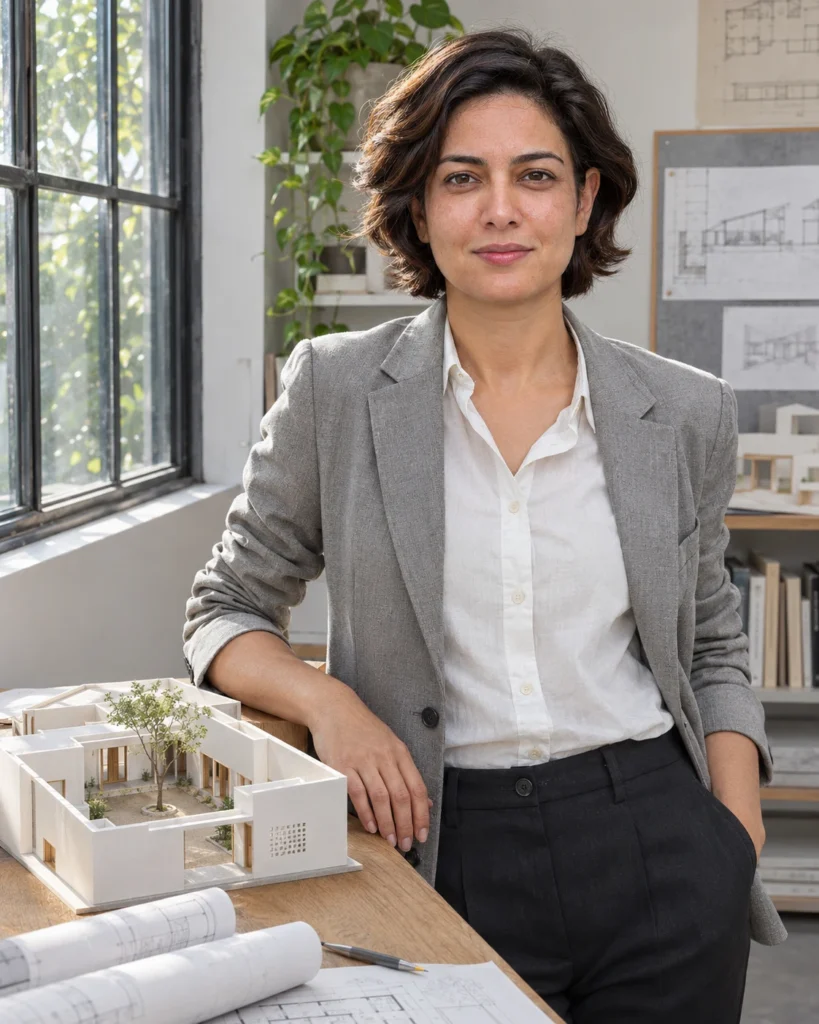
In a bright architecture studio with a slim oak worktable, rolled drawings and a small white model of a courtyard house, frame the person from the waist up at the worktable, with one hand resting beside the model as she looks at the camera. A large window on the left lights her face and the tiny walls of the house.

Styling: a light grey blazer over a white cotton shirt and dark straight-leg trousers.

Clean daylight and a calm, work-in-progress feel. Real photo look, natural skin texture, true-to-life colours, crisp detail. 4:5 frame. No watermark.
Collections and similar looks


Help for this look
How to make it, tips, answers and quick fixes. Tap a row to open it.
What this prompt creates
At an oak worktable in a bright architecture studio, you look up at the camera with one hand beside a small white model of a courtyard house. Rolled drawings sit at the table. Your light grey blazer covers a white cotton shirt, with dark trousers completing the outfit. A large window to the left lights your face and the model's tiny walls in the waist-up frame.
Make it yours
- Use a small library model.
- Try a navy blazer.
- Ask for a pale plywood worktable.
Want to know more? Read about architectural models on Wikipedia.
How to make this architect portrait
- Pick a clear photo
Face towards the camera in good light. Any outfit is fine; the prompt changes it.
- Copy the prompt
Choose a model of a home or a small office.
- Paste with your photo
Open ChatGPT & Gemini, upload your photo, paste and send.
- Fine-tune it
Ask for the model to sit just below your face in the frame.
Tips for this look
- Use a clear photo with your face in good light.
- Keep your face free of heavy filters.
- Use 4:5 for a feed post.
- Upload a waist-up photo with a clear neckline.
- Choose window light that reaches both eyes.
- Keep the resting hand visible if you pose at a table.
Quick answers
Can I use my own building design?
Yes, attach a clear image of the design and ask for it to guide the model.
Can I wear something more casual?
Yes, swap the blazer for a plain cotton shirt.
Common problems and quick fixes
Use a sharper, front-facing photo in daylight, then reply “keep my face exactly as in my photo, only change the scene”.
Reply “fix the hands and fingers, keep everything else the same”.
Use the outfit quick change, or reply “make the outfit exactly [colour]”.
Reply “keep my natural skin texture, no beauty filter”. Small follow-ups work better than starting over.
More looks for girls
Similar looks, picked by style and occasion.
