Coming up: Christmas
 Find my look in 3 taps















































 🪔 Festive
Christmas Shop Window Cinematic AI Photo Prompt for Boys
Copy this AI photo prompt for boys below and paste it into ChatGPT or Gemini with your own photo.
Your prompt
Edit the uploaded photo. Use the person in it as the identity reference. Keep their face shape, eyes, nose, lips, skin tone, age and hair exactly as they are. No face reshaping, no plastic-smooth skin.

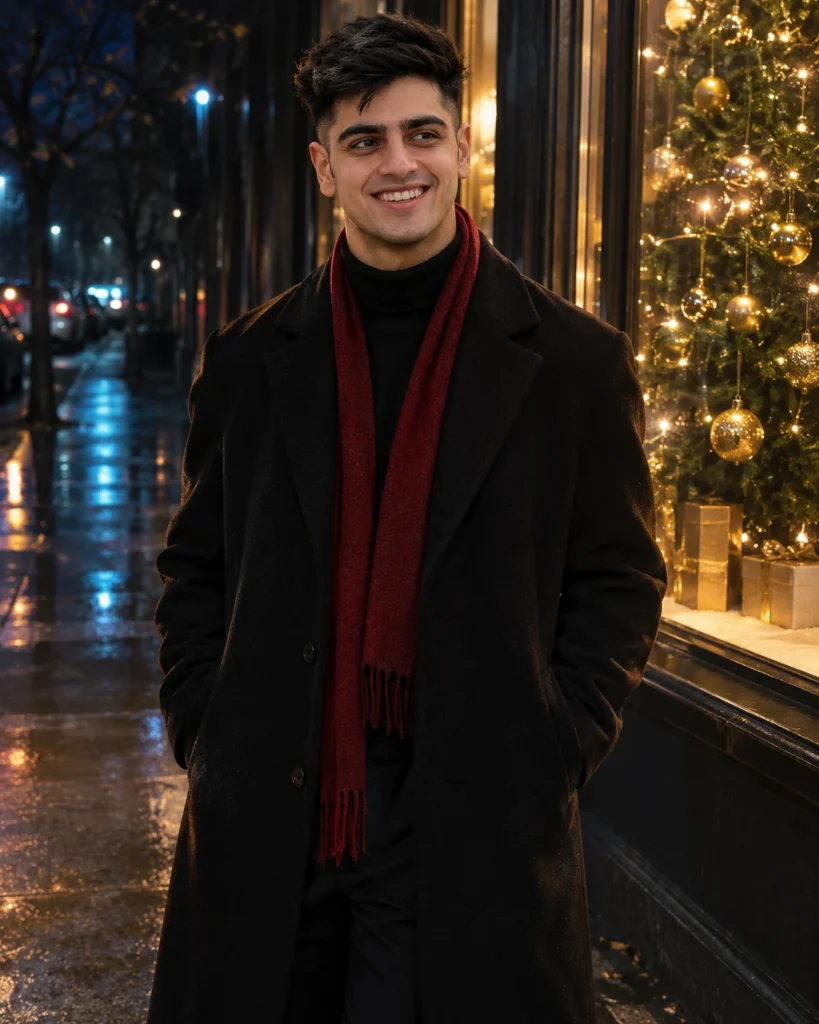
The person stands on the pavement in front of a glowing shop window at night decorated with a tall Christmas tree, gold baubles and warm lights, wet pavement in front, hands in coat pockets, looking slightly away from the camera. The window light falls on one side of the face. No shop name, no signs, no logos.

Styling: a long black wool overcoat, a black turtleneck, a deep red scarf and black trousers.

Moody cinematic night photo, warm window glow against cool blue street light, soft reflections, light film grain. Real photo look, natural skin texture, true-to-life colours, crisp detail. 4:5 frame. No watermark.
Collections and similar looks
Share
Help for this look
How to make it, tips, answers and quick fixes. Tap a row to open it.
What this prompt creates
At night, on a wet pavement, he stands before a glowing shop window dressed with a tall Christmas tree, gold baubles and warm lights. He wears a long black wool overcoat, a black turtleneck, a deep red scarf and black trousers, hands in his pockets, looking a little away. The window light falls on one side of his face, and the street around him is cool and blue.
Make it yours
- Make the coat charcoal grey.
- Change the scarf to deep green.
- Ask for light snowfall in the street.
Want to know more? Read about window displays on Wikipedia.
How to make this Christmas shop window cinematic photo
- Pick a clear photo
Face towards the camera in good light. Any outfit is fine; the prompt changes it.
- Copy the prompt
Tap Copy prompt. Change the scarf colour or the coat in the prompt if you like.
- Paste with your photo
Open ChatGPT or Gemini, upload your photo, paste and send.
- Fine-tune it
Reply “more film look” or “brighter window” to tune it.
Tips for this look
- A side-angle photo looks great here.
- Use 9:16 for a reel cover.
- Grey coat + red scarf also works.
- A side-angle photo matches the half-lit face.
- A calm, serious expression suits the mood.
- A photo with your shoulders in frame helps the coat fit.
Quick answers
Will a shop name show?
No. The prompt asks for no signs or logos.
Is this for snow places only?
No. It is a city night with a wet street, no snow needed.
Common problems and quick fixes
😕 My face doesn’t look like me
Use a sharper, front-facing photo in daylight, then reply “keep my face exactly as in my photo, only change the scene”.
🔤 The words are spelt wrong
Reply “fix the spelling, it should read: …” with the exact words. Short names come out cleanest.
✋ Hands or fingers look odd
Reply “fix the hands and fingers, keep everything else the same”.
🌙 My face looks too dark
Reply “add soft warm light on my face, keep the background the same”.
More looks for boys
Similar looks, picked by style and occasion.