Coming up: Christmas
 Find my look in 3 taps

















































 💑 Couple
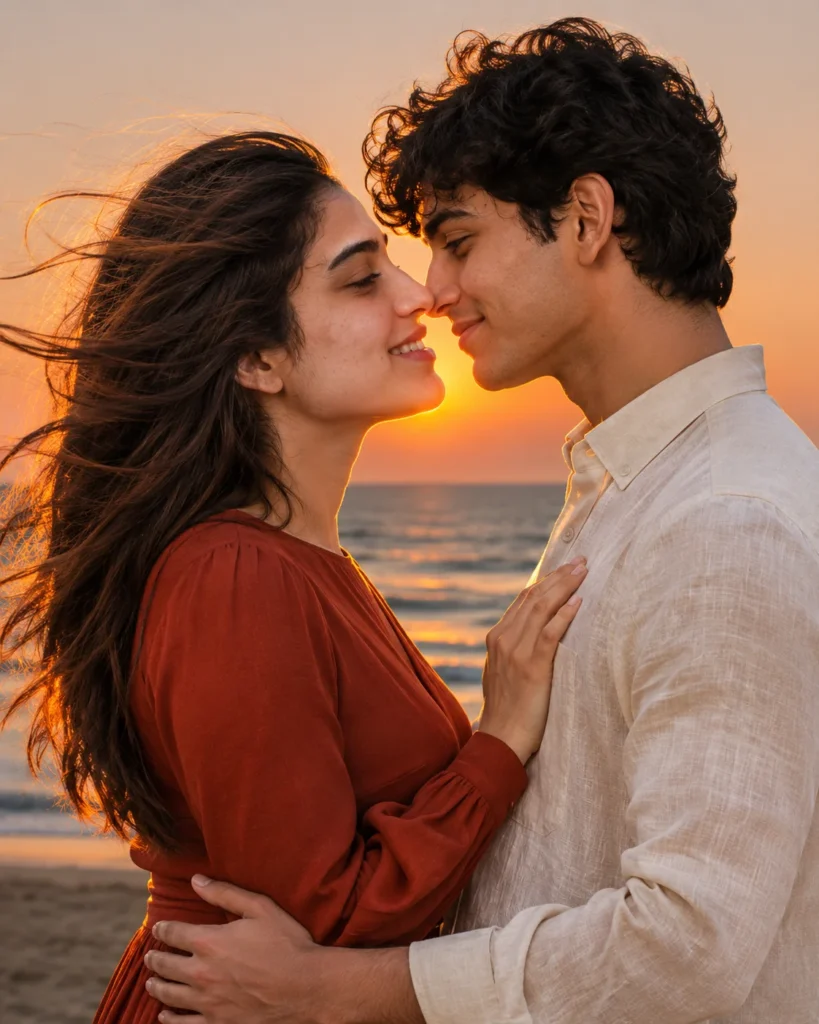
Golden Beach Profiles Hot Romantic Couple AI Photo Prompt
Copy this couple AI photo prompt below and paste it into ChatGPT or Gemini with a photo of you both.
Your prompt
Edit the uploaded photo of two people. Use each person as their own identity reference and keep both faces exactly as they are: face shape, eyes, nose, lips, skin tone, age and hair. Keep the two people clearly separate; do not blend their features.

At a quiet beach in the last minute of sunset with the horizon clear behind them, frame the couple in side profile with their lips nearly touching and a thin strip of light between them. The sun draws a gold rim around both faces as wind lifts her hair away from her cheek.

Styling: she wears an opaque rust-coloured long-sleeve dress and he wears a buttoned cream linen shirt.

Keep soft reflected light on the fronts of both faces so their features stay readable inside the silhouette. Real photo look, natural skin texture, true-to-life colours, crisp detail. Keep both adult faces distinct and faithful to their own reference. Keep all garments covering the body fully opaque, with sheer fabric only over opaque layers. Keep hands at waist height or above. Keep a visible gap between the two mouths. No beds, bedrooms, underwear, swimwear, bare torsos, logos, brands, app interface, alcohol or cigarettes. 4:5 frame. No watermark.
Collections and similar looks
Share
Help for this look
How to make it, tips, answers and quick fixes. Tap a row to open it.
What this prompt creates
At the very end of a beach sunset, the two of you face each other in profile with a narrow gap between your lips. The last sunlight catches both outlines, while a little reflected light leaves your faces recognisable. Her hair lifts away from her cheek. The rust dress and cream linen shirt sit low in the frame, and the open horizon keeps the light around your profiles easy to see.
Make it yours
- Give the horizon a little more room.
- Choose a warm brown dress.
- Swap the cream linen shirt for sand-coloured linen.
Want to know more? Read about golden hour in photography on Wikipedia.
How to make this golden beach profiles hot romantic couple photo
- Pick a clear photo of you both
Face towards the camera in good light. Any outfit is fine; the prompt changes it.
- Copy the prompt
Try a longer crop with more horizon.
- Paste with your photo
Open ChatGPT or Gemini, upload your photo, paste and send.
- Fine-tune it
Keep a little reflected light on both cheeks.
Tips for this look
- Upload separate quarter-turn portraits.
- Choose photos with hair clear of the eyes.
- Keep a small gap between both profiles.
- Upload a clear side or quarter-turn view of each face.
- Keep hair away from the eyes in the references.
- Choose even light so both profiles are readable.
Quick answers
Why may a sunset kiss prompt be refused?
A model may read a request for lip contact as more intimate than you intended. The visible line of sunset between your lips keeps the tension in the pose.
Will our faces look like silhouettes?
The outline stays dark, with soft light inside it so both faces are still recognisable.
Common problems and quick fixes
👥 Our faces got mixed
Keep the first lines of the prompt: they tell the tool to keep you two separate. Two separate clear photos also help.
✋ Hands or fingers look odd
Reply “fix the hands and fingers, keep everything else the same”.
🟠 Everything looks too yellow or orange
Reply “keep the colours natural and my skin tone true, less orange cast”.
👗 The outfit colour isn’t right
Use the outfit quick change, or reply “make the outfit exactly [colour]”.
More couple looks
Similar looks, picked by style and occasion.