Coming up: Christmas
 Find my look in 3 taps















































 Creative
Kid and Cartoon Cat Breaking a Wall AI Photo Prompt
Copy this family AI photo prompt below and paste it into ChatGPT or Gemini with a photo of your family.
Your prompt
Edit the uploaded photo of the child. Use the child in it as the identity reference. Keep the face shape, eyes, nose, lips, skin tone, age and hair exactly as they are. Keep the child looking their real age; no makeup, no face reshaping.

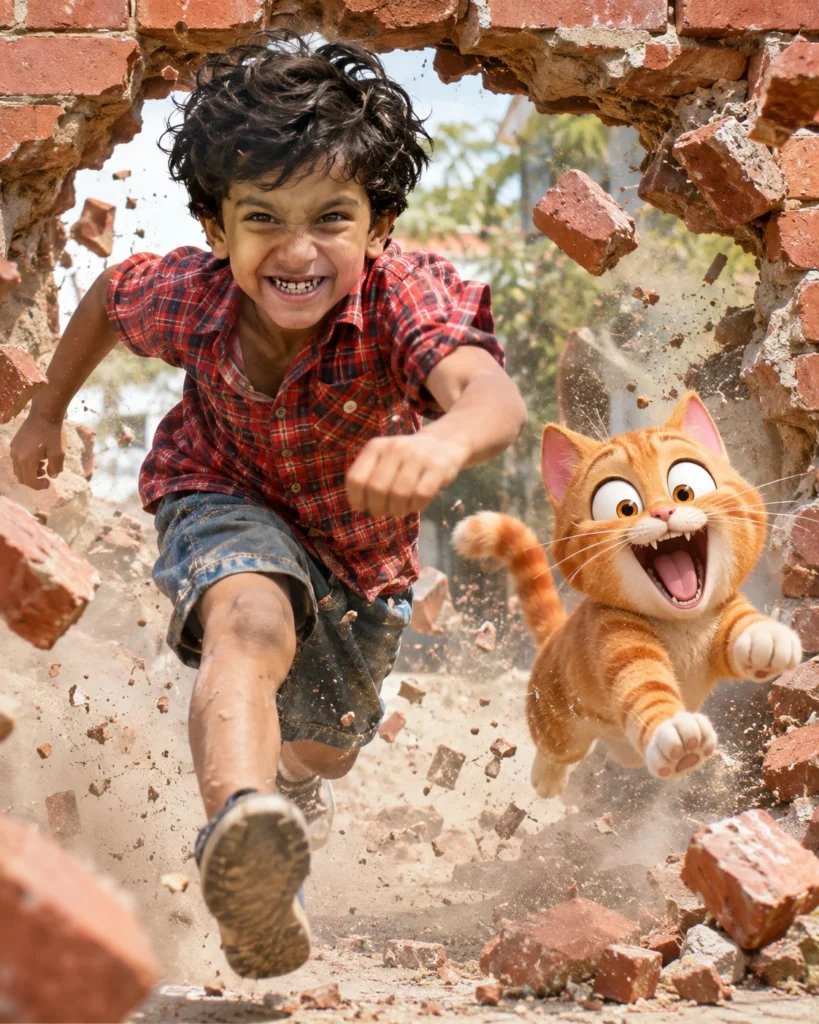
The real child bursts through a brick wall with a big hole broken through it, bricks and dust flying with a mischievous grin, while a cute 3D cartoon orange cat beside him laughs with its mouth wide open in shock. Bricks tumble around them.

Styling: a red check shirt and denim shorts.

Bright playful light, real child with a 3D cartoon cat, fun and full of energy. Real photo look, natural skin texture, true-to-life colours, crisp detail. 4:5 frame. No watermark.
Collections and similar looks
Share
Help for this look
How to make it, tips, answers and quick fixes. Tap a row to open it.
What this prompt creates
Your child bursts through a broken brick wall with a mischievous grin, bricks and dust flying, while a cute 3D cartoon orange cat beside them laughs with its mouth wide open in shock. Your child wears a red check shirt and denim shorts.
Make it yours
- Change the cat to a cartoon puppy.
- Make it a paper wall.
- Add a sibling.
Want to know more? Read about computer animation on Wikipedia.
How to make this kid and cartoon cat breaking a wall photo
- Pick a clear photo of your child
Face towards the camera in good light. Any outfit is fine; the prompt changes it.
- Copy the prompt
Change the cat to a cartoon puppy.
- Paste with your photo
Open ChatGPT or Gemini, upload your photo, paste and send.
- Fine-tune it
Reply “keep my child looking their real age”.
Tips for this look
- A clear smiling photo of your child works best.
- Daylight photos keep their real skin tone.
- Use 4:5.
- Use a clear smiling photo of your child.
Quick answers
Is the cat a famous character?
No. It is our own cute cartoon cat.
Is it safe to upload my child’s photo?
Use only your own AI app and account.
Common problems and quick fixes
😕 My face doesn’t look like me
Use a sharper, front-facing photo in daylight, then reply “keep my face exactly as in my photo, only change the scene”.
🧸 The cartoon doesn’t look like me
Reply “keep my hairstyle, face shape and skin tone in the cartoon”. A smiling, front-facing photo helps most.
👶 The child’s face changed
Reply “keep the child’s face exactly as in my photo”. Add a clear photo of the child if you can.
👗 The outfit colour isn’t right
Use the outfit quick change, or reply “make the outfit exactly [colour]”.
More family looks
Similar looks, picked by style and occasion.