Coming up: Christmas
 Find my look in 3 taps















































 Boys
Misty Highway Car AI Photo Prompt for Boys
Copy this AI photo prompt for boys below and paste it into ChatGPT or Gemini with your own photo.
Your prompt
Edit the uploaded photo. Use the person in it as the identity reference. Keep their face shape, eyes, nose, lips, skin tone, age and hair exactly as they are. No face reshaping, no plastic-smooth skin.

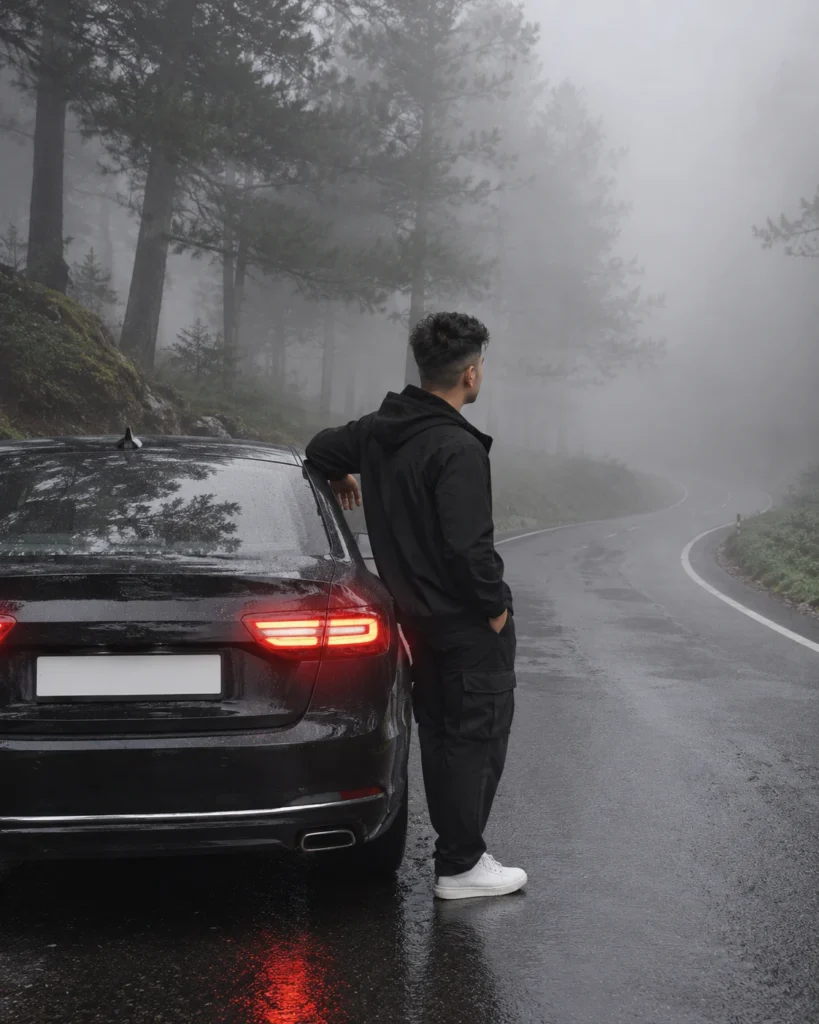
The person stands beside a black sedan parked on an empty hill highway lost in thick grey fog, wet tarmac, pine trees fading into the mist, one hand resting on the roof, looking away down the road. The car’s rear lights glow red through the fog. The number plate is blank. Shot from a little behind and to the side, the road curving away into nothing.

Styling: a black hooded jacket, dark cargo trousers and white sneakers.

Cold, quiet, moody light, muted greys with a touch of red. Real photo look, natural skin texture, true-to-life colours, crisp detail. 4:5 frame. No watermark.
Collections and similar looks
Share
Help for this look
How to make it, tips, answers and quick fixes. Tap a row to open it.
What this prompt creates
You stand beside a black sedan on an empty hill highway lost in thick grey fog. One hand rests on the roof and you look away down the curving road, wearing a black hooded jacket, dark cargo trousers and white sneakers. The wet tarmac shines, pine trees fade into the mist and the car’s red tail lights glow softly through the grey. The plate stays blank.
Make it yours
- Swap the black sedan for a white SUV.
- Make it night with the headlights on.
- Change the jacket to a long grey coat.
Want to know more? Read about fog on Wikipedia.
How to make this misty highway car photo
- Pick a clear photo
Face towards the camera in good light. Any outfit is fine; the prompt changes it.
- Copy the prompt
Change the black sedan to a white SUV.
- Paste with your photo
Open ChatGPT or Gemini, upload your photo, paste and send.
- Fine-tune it
Reply “make the fog thicker” if the road looks too clear.
Tips for this look
- A side-angle photo of you works best.
- Ask for “night” for a darker mood.
- Use 4:5 or 9:16.
- Upload a photo where your face is turned a little to the side.
- A full-length photo helps your height look right next to the car.
- Plain daylight photos keep your skin tone true in the grey light.
Quick answers
Will a car logo appear?
No. The prompt asks for no logos and a blank number plate.
Can I sit on the bonnet instead?
Yes. Change the pose line to “sitting on the bonnet”.
Common problems and quick fixes
😕 My face doesn’t look like me
Use a sharper, front-facing photo in daylight, then reply “keep my face exactly as in my photo, only change the scene”.
✋ Hands or fingers look odd
Reply “fix the hands and fingers, keep everything else the same”.
👗 The outfit colour isn’t right
Use the outfit quick change, or reply “make the outfit exactly [colour]”.
🎨 Skin looks too smooth
Reply “keep my natural skin texture, no beauty filter”. Small follow-ups work better than starting over.
More looks for boys
Similar looks, picked by style and occasion.