Coming up: Christmas
 Find my look in 3 taps















































 Girls
Modern Black and White Collage AI Prompt for Girls
Copy this AI photo prompt for girls below and paste it into ChatGPT or Gemini with your own photo.
Your prompt
Edit the uploaded photo. Use the person in it as the identity reference. Keep their face shape, eyes, nose, lips, skin tone, age and hair exactly as they are. No face reshaping, no plastic-smooth skin.

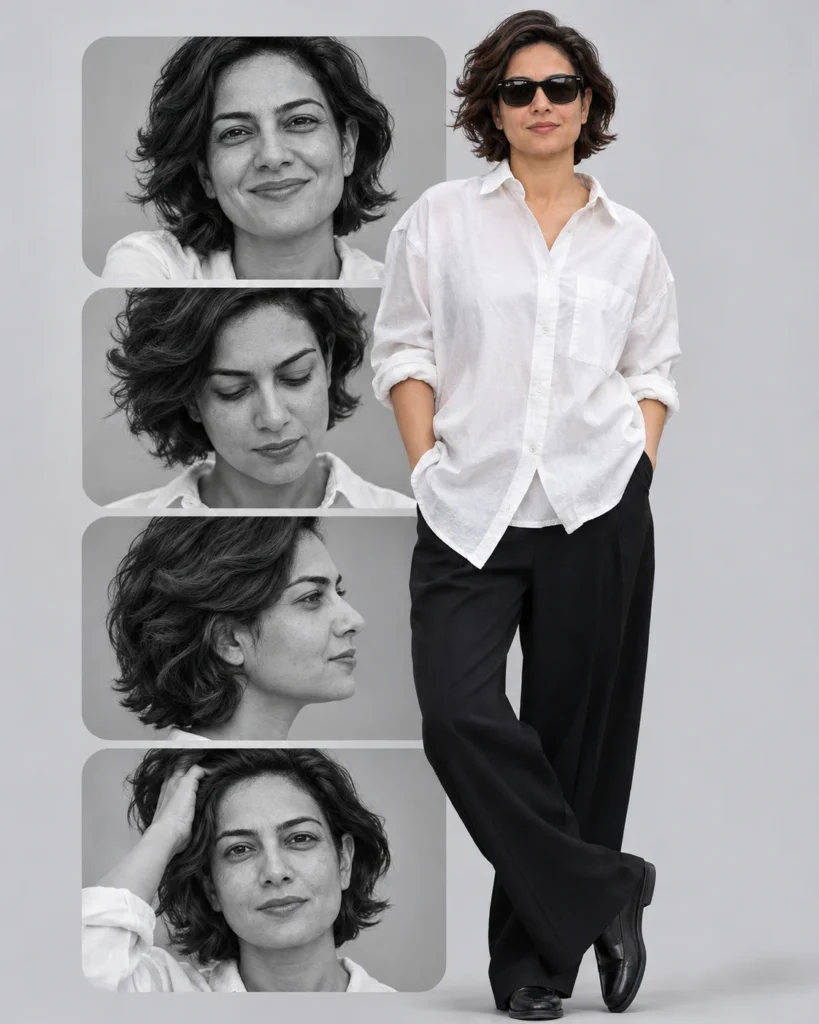
Create a modern collage on a light grey background. Left: four black-and-white close-ups of the person in rounded frames (smiling, looking down, side profile, hand in hair). Right: a large full-colour cut-out of the person standing, overlapping the frames.

Styling: a white oversized shirt, black trousers and black sunglasses.

Clean editorial layout. Natural skin texture, true-to-life colours, crisp detail. 4:5 frame. No watermark.
Collections and similar looks
Share
Made with this prompt
More versions of this look
Same prompt, one quick change each. Tap a photo to see it above, or tap Copy prompt to copy that version.
Help for this look
How to make it, tips, answers and quick fixes. Tap a row to open it.
What this prompt creates
Rounded frames on the left of a light grey canvas hold four black-and-white close-ups of you: smiling, looking down, side profile and a hand in your hair. A large full-colour cut-out of you stands on the right, stepping over the frames. Your outfit is a white oversized shirt, black trousers and black sunglasses, clean and simple, so the whole layout looks like a fashion editorial page.
Make it yours
- Change the oversized shirt to a red one for a bold colour pop.
- Swap the black trousers for a long denim skirt.
- Use a pastel lilac background instead of light grey.
Want to know more? Read about monochrome photography on Wikipedia.
How to make this modern collage
- Pick a clear photo
Face towards the camera in good light. Any outfit is fine; the prompt changes it.
- Copy the prompt
Tap Copy prompt. Change the outfit colour of the big cut-out in the prompt if you like.
- Paste with your photo
Open ChatGPT or Gemini, upload your photo, paste and send.
- Fine-tune it
Reply “same face in every frame”.
Tips for this look
- A full-length photo helps the big cut-out.
- Try a red shirt for contrast.
- Great for profile highlights.
- Upload one full-length photo for the big cut-out and one close face photo if you have it.
- Different expressions in your uploads give the small frames more life.
- Good light on your face matters more here, since the close-ups are large.
Quick answers
Do I need five photos?
One is enough; more give variety.
Can boys use it?
Yes, see the boys’ version.
Common problems and quick fixes
😕 My face doesn’t look like me
Use a sharper, front-facing photo in daylight, then reply “keep my face exactly as in my photo, only change the scene”.
🖼️ My face changes between frames
Reply “keep my face identical in every frame”. Uploading 2–3 photos of yourself also helps.
✋ Hands or fingers look odd
Reply “fix the hands and fingers, keep everything else the same”.
👗 The outfit colour isn’t right
Use the outfit quick change, or reply “make the outfit exactly [colour]”.
More looks for girls
Similar looks, picked by style and occasion.