


 Coming up: Christmas
 Find my look in 3 taps














































 Boys
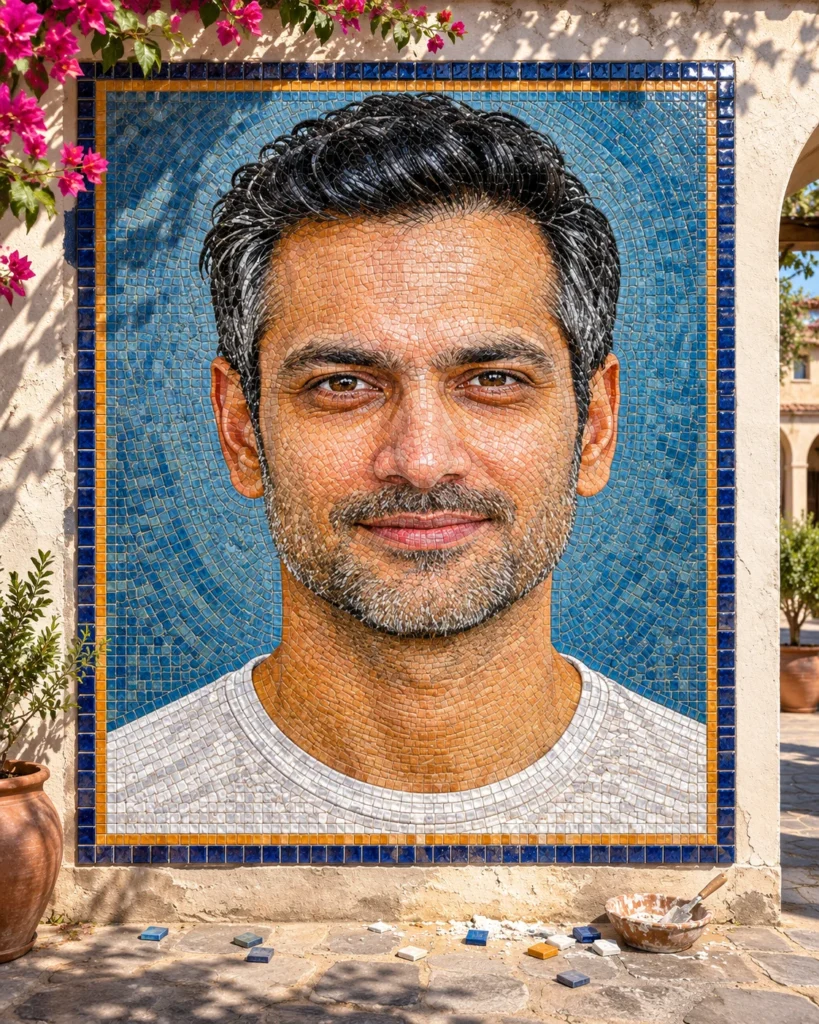
Tile Mosaic Portrait Effect AI Photo Prompt
Copy this AI photo prompt for boys below and paste it into ChatGPT or Gemini with your own photo.
Your prompt
Edit the uploaded photo. Use the person in it as the identity reference. Keep their face shape, eyes, nose, lips, skin tone, age and hair exactly as they are. No face reshaping, no plastic-smooth skin.

Recreate the person’s portrait as a large mosaic made of small glossy ceramic tiles set into a sunlit courtyard wall. The face, greying hair and expression are clearly recognisable from the tile colours. Sunlight catches the tile edges and a few loose tiles and grout lie on the ground below.

Styling: a white shirt.

Bright sunlight, rich tile colours, crafted public-art feel. Real photo look, natural skin texture, true-to-life colours, crisp detail. 4:5 frame. No watermark.
Collections and similar looks
Share
Help for this look
How to make it, tips, answers and quick fixes. Tap a row to open it.
What this prompt creates
Your portrait recreated as a large mosaic of small glossy ceramic tiles set into a sunlit courtyard wall. Your face, greying hair and expression come through clearly in the tile colours, sunlight catches the tile edges, and a few loose tiles and grout lie on the ground below.
Make it yours
- Change the wall to a metro station.
- Add your name in tiles below.
- Ask for brighter tile colours.
Want to know more? Read about mosaic art on Wikipedia.
How to make this tile mosaic portrait effect photo
- Pick a clear photo
Face towards the camera in good light. Any outfit is fine; the prompt changes it.
- Copy the prompt
Change the wall to a metro station or a temple-style courtyard.
- Paste with your photo
Open ChatGPT or Gemini, upload your photo, paste and send.
- Fine-tune it
Reply “make my face clearer in the tiles”.
Tips for this look
- A clear front photo works best.
- Strong contrast photos make sharper mosaics.
- Use 4:5.
- Use a clear front photo.
- Photos with good contrast make sharper mosaics.
Quick answers
Is it a real photo of a wall?
It looks like one; the AI creates the whole mosaic.
Can I add my name in tiles?
Yes. Add “my name in tiles below: …” with the real name.
Common problems and quick fixes
😕 My face doesn’t look like me
Use a sharper, front-facing photo in daylight, then reply “keep my face exactly as in my photo, only change the scene”.
👗 The outfit colour isn’t right
Use the outfit quick change, or reply “make the outfit exactly [colour]”.
🎨 Skin looks too smooth
Reply “keep my natural skin texture, no beauty filter”. Small follow-ups work better than starting over.
🔁 It isn’t quite the look
Regenerate once, or reply with one change at a time, like “wider shot” or “warmer light”.
More looks for boys
Similar looks, picked by style and occasion.

