Coming up: Christmas
 Find my look in 3 taps

















































 Creative
Moon Robot Baby Astronaut AI Photo Prompt
Copy this family AI photo prompt below and paste it into ChatGPT or Gemini with a photo of your family.
Your prompt
Edit the uploaded photo of the child. Use the child in it as the identity reference. Keep the face shape, eyes, nose, lips, skin tone, age and hair exactly as they are. Keep the child looking their real age; no makeup, no face reshaping.

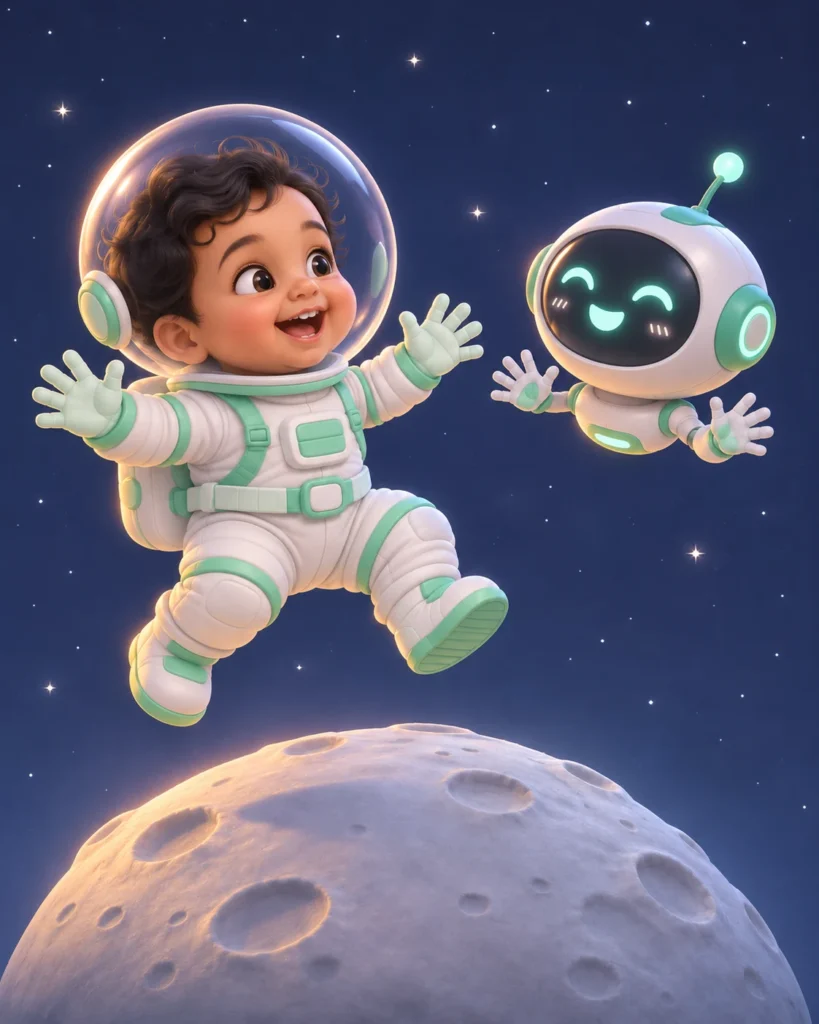
Use original soft 3D animated-movie style. Above a tiny rounded moon with shallow craters against a soft navy sky, a baby astronaut floats just off the lunar surface with a friendly round robot drifting at eye level beside the child.

Styling: a full padded white spacesuit with mint trim, boots and a clear bubble helmet.

Gentle animated rim light, pillowy shapes and a soft glow on the robot's face. 4:5 frame. No watermark, flags or religious elements.
Collections and similar looks
Share
Help for this look
How to make it, tips, answers and quick fixes. Tap a row to open it.
What this prompt creates
Your little astronaut floats just above the surface of a tiny moon in a padded white suit with mint trim. A round robot comes up beside the clear bubble helmet, close enough to look the baby in the eye. Shallow craters curve away below their feet, while a gentle rim of light picks out the soft shapes against the navy sky.
Make it yours
- Change the suit trim to blue.
- Give the robot a peach shell.
- Move it closer to the helmet.
Want to know more? Read about astronauts on Wikipedia.
How to make this moon robot baby astronaut photo
- Pick a clear photo of your child
Face towards the camera in good light. Any outfit is fine; the prompt changes it.
- Copy the prompt
Change the spacesuit trim.
- Paste with your photo
To use this prompt with ChatGPT & Gemini, upload your photo in the app you choose, then paste the prompt and send.
- Fine-tune it
Keep the visor clear so the face shows.
Tips for this look
- Pick a front-facing baby photo with open eyes.
- Start with an unfiltered reference.
- Use 4:5 to keep the intended composition.
- Pick a front-facing baby photo.
- Choose open eyes in gentle light.
- Keep the face and chin clear.
Quick answers
Can the robot be another colour?
Yes, try pale orange with a mint suit.
Can the robot float closer?
Yes, ask for it to drift beside the helmet.
Common problems and quick fixes
😕 My face doesn’t look like me
Use a sharper, front-facing photo in daylight, then reply “keep my face exactly as in my photo, only change the scene”.
🧸 The cartoon doesn’t look like me
Reply “keep my hairstyle, face shape and skin tone in the cartoon”. A smiling, front-facing photo helps most.
🌙 My face looks too dark
Reply “add soft warm light on my face, keep the background the same”.
👶 The child’s face changed
Reply “keep the child’s face exactly as in my photo”. Add a clear photo of the child if you can.
More family looks
Similar looks, picked by style and occasion.