Coming up: Christmas
 Find my look in 3 taps















































 💑 Couple
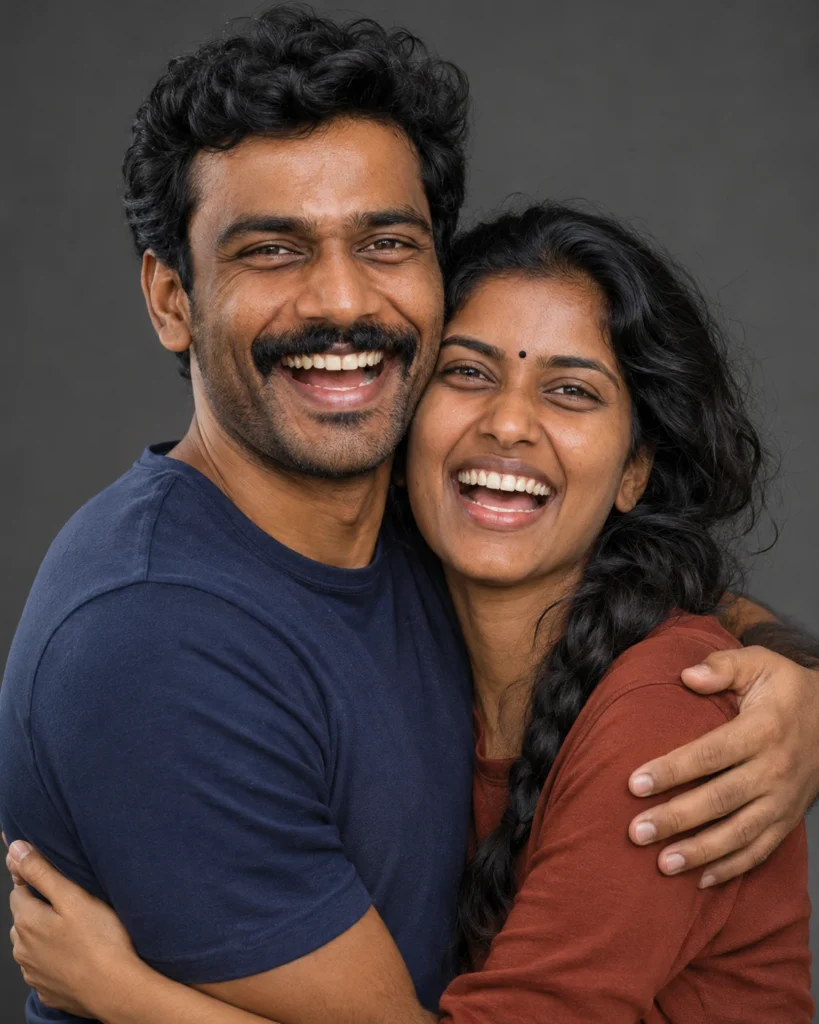
Dark Grey Studio Laughing Hug Couple AI Photo Prompt
Copy this couple AI photo prompt below and paste it into ChatGPT or Gemini with a photo of you both.
Your prompt
Edit the uploaded photo of two people. Use each person as their own identity reference and keep both faces exactly as they are: face shape, eyes, nose, lips, skin tone, age and hair. Keep the two people clearly separate; do not blend their features.

In a studio with a dark grey seamless backdrop, catch the couple in a chest-up frame as they pull each other into a close hug and break into wide, natural laughter. Light them with a large soft source just left of the camera to keep both smiles clear.

Styling: an indigo crew neck for him and a rust cotton top for her.

Soft light over a dark grey background, with the energy of a candid moment. Real photo look, natural skin texture, true-to-life colours, crisp detail. 4:5 frame. No watermark.
Collections and similar looks
Share
Help for this look
How to make it, tips, answers and quick fixes. Tap a row to open it.
What this prompt creates
A big laugh fills the chest-up frame as you pull each other into a hug in a dark grey studio. His indigo crew neck and her rust cotton top meet where you lean together. Soft light from just to the left of the camera spreads across both smiles, so you can see the expressions that make the moment feel like it happened between poses.
Make it yours
- Dress both of you in denim tops.
- Turn slightly towards each other while keeping both smiles in view.
- Try a blue-grey backdrop.
Want to know more? Read about laughter on Wikipedia.
How to make this dark grey studio laughing hug couple photo
- Pick a clear photo of you both
Face towards the camera in good light. Any outfit is fine; the prompt changes it.
- Copy the prompt
Try denim tops for both.
- Paste with your photo
Open ChatGPT or Gemini, upload your photo, paste and send.
- Fine-tune it
Ask for relaxed shoulders and genuine laugh lines.
Tips for this look
- Upload one clear photo of each face.
- A photo together works too.
- Use 4:5 for a portrait post.
- Upload photos where you are already smiling broadly.
- Choose a sharp frame from a burst if your laugh caused motion blur.
- Keep both mouths and cheeks visible in any photo of you hugging.
Quick answers
Which photos help with the smiles?
Try clear photos where both of you are already smiling broadly.
Can we face each other?
Yes. Turn the faces slightly towards each other so both smiles stay in view.
Common problems and quick fixes
👥 Our faces got mixed
Keep the first lines of the prompt: they tell the tool to keep you two separate. Two separate clear photos also help.
🌙 My face looks too dark
Reply “add soft warm light on my face, keep the background the same”.
👗 The outfit colour isn’t right
Use the outfit quick change, or reply “make the outfit exactly [colour]”.
🎨 Skin looks too smooth
Reply “keep my natural skin texture, no beauty filter”. Small follow-ups work better than starting over.
More couple looks
Similar looks, picked by style and occasion.