Coming up: Christmas
 Find my look in 3 taps















































 🪔 Festive
Christmas 3D Cartoon Character AI Photo Prompt
Copy this AI photo prompt below and paste it into ChatGPT or Gemini with your own photo.
Your prompt
Edit the uploaded photo. Use the person in it as the identity reference. Keep their face shape, eyes, nose, lips, skin tone, age and hair exactly as they are. No face reshaping, no plastic-smooth skin.

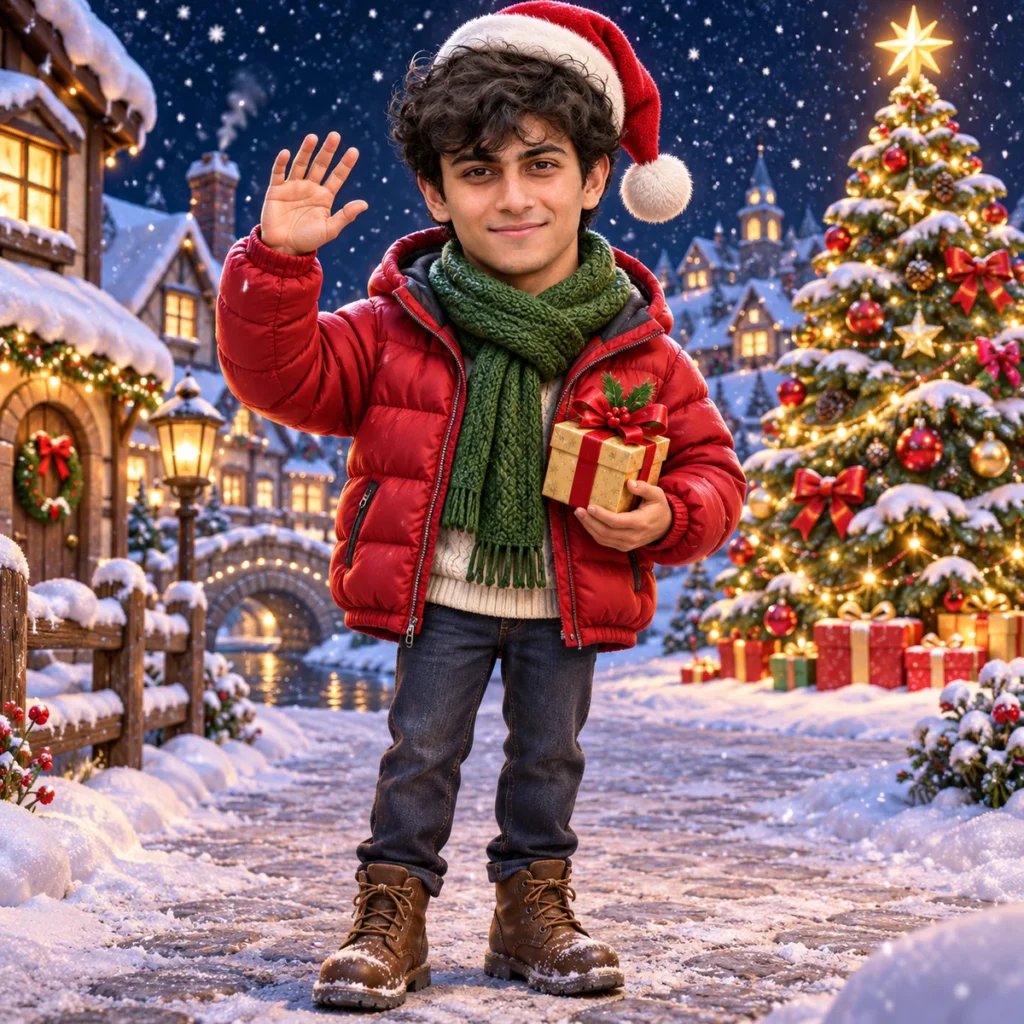
Turn the person into a cute 3D animated movie character standing in a snowy little cartoon village at night with glowing windows, a big decorated Christmas tree and falling snow, waving happily, a small gift box in the other hand. Keep the face clearly recognisable: same face shape, hair, eyebrows and smile, in a soft 3D cartoon style.

Styling: a red puffer jacket, a green knitted scarf and a Santa hat.

Polished 3D animation look, soft glowing light, rich festive colours. No real film or studio characters. 1:1 frame. No watermark.
Collections and similar looks
Share
Help for this look
How to make it, tips, answers and quick fixes. Tap a row to open it.
What this prompt creates
You become a cute 3D animated character standing in a snowy little cartoon village at night, windows glowing and a big decorated tree behind you as snow falls. You wave happily, a small gift box in the other hand, dressed in a red puffer jacket, a green knitted scarf and a Santa hat. Your face shape, hair, eyebrows and smile stay yours.
Make it yours
- Change the jacket to blue with a white scarf.
- Make it two characters for a couple.
- Swap the gift box for a cup of hot chocolate.
Want to know more? Read about computer animation on Wikipedia.
How to make this Christmas 3d cartoon character photo
- Pick a clear photo
Face towards the camera in good light. Any outfit is fine; the prompt changes it.
- Copy the prompt
Tap Copy prompt. Change the jacket colour in the prompt if you like.
- Paste with your photo
Open ChatGPT or Gemini, upload your photo, paste and send.
- Fine-tune it
Reply “make it look more like my face” if the cartoon drifts.
Tips for this look
- A clear front-facing photo keeps the likeness.
- Use 1:1 for a DP.
- Couples: upload both photos and say “two characters”.
- A clear, front-facing photo keeps the likeness strong.
- A big smile in your photo carries into the cartoon.
- Show your hairstyle clearly; it is a big part of the likeness.
Quick answers
Will it look like me?
Yes. The prompt keeps your face shape, hair and smile in cartoon style.
Can kids use it?
Yes. It looks lovely for children too.
Common problems and quick fixes
😕 My face doesn’t look like me
Use a sharper, front-facing photo in daylight, then reply “keep my face exactly as in my photo, only change the scene”.
🧸 The cartoon doesn’t look like me
Reply “keep my hairstyle, face shape and skin tone in the cartoon”. A smiling, front-facing photo helps most.
✋ Hands or fingers look odd
Reply “fix the hands and fingers, keep everything else the same”.
👗 The outfit colour isn’t right
Use the outfit quick change, or reply “make the outfit exactly [colour]”.
You might also like
Similar looks, picked by style and occasion.