Coming up: Christmas
 Find my look in 3 taps

















































 Boys
3D Clay Name Keychain AI Photo Prompt for Boys
Copy this AI photo prompt for boys below and paste it into ChatGPT or Gemini with your own photo.
Your prompt
Edit the uploaded photo. Use the person in it as the identity reference. Keep their face shape, eyes, nose, lips, skin tone, age and hair exactly as they are. No face reshaping, no plastic-smooth skin.

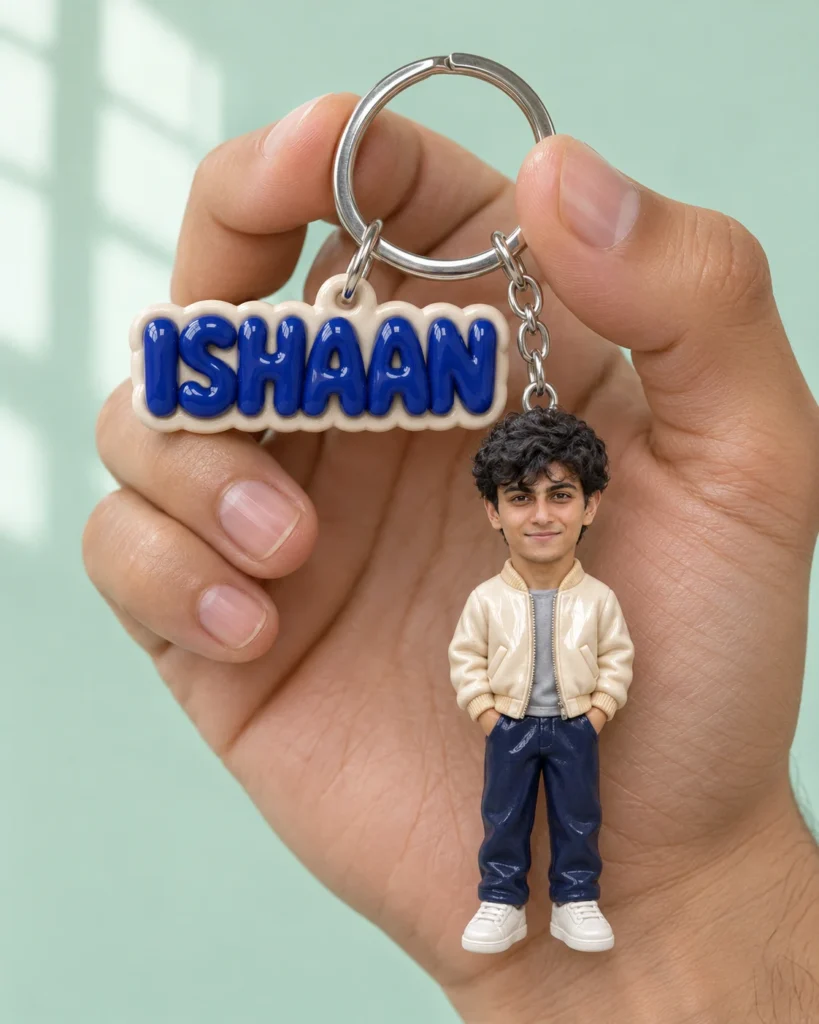
In a soft mint product backdrop with a wide window reflection from the left, make a close product photo of one hand holding a silver key ring, with [NAME] spelled in glossy cobalt bubble letters joined on a clay base. Attach a tiny clay figure of the person by a short silver link beside the letters, with his face and hair shaped to match the reference and the full name facing the camera.

Styling: a tiny clay figure in a cream bomber jacket, indigo trousers and white trainers.

Soft window highlights across the shiny clay, with quiet shadows and enough depth of field to see both charms clearly. 4:5 frame. No watermark.
Collections and similar looks
Share
Help for this look
How to make it, tips, answers and quick fixes. Tap a row to open it.
What this prompt creates
A hand holds a silver ring in front of a soft mint backdrop. Your name hangs from it in rounded cobalt clay letters, with a tiny version of you in a cream bomber jacket linked beside it. Soft window highlights skim the shiny letters and the clay figure, while the close crop leaves space to read the whole name from left to right.
Make it yours
- Change the letters from cobalt to cherry red.
- Give the clay figure your go-to hoodie.
- Use a shorter nickname so the letters can be wider.
Want to know more? Read about keychains on Wikipedia.
How to make this 3d clay name keychain photo
- Pick a clear photo
Face towards the camera in good light. Any outfit is fine; the prompt changes it.
- Copy the prompt
Replace [NAME] with your name or a short nickname.
- Paste with your photo
In your chosen app (ChatGPT & Gemini are both options), upload your photo, paste and send.
- Fine-tune it
Ask for a visible silver link between the clay figure and the ring.
Tips for this look
- Use a clear photo with your hairstyle visible.
- Choose a chest-up photo if you want the face to stand out.
- Check your nickname spelling before pasting.
- Choose a clear photo where your hairstyle is visible.
- Pick one where your face fills enough of the frame to see your features.
- Use the expression you want on the tiny figure.
Quick answers
Can I use a nickname on the keychain?
Yes. Use the exact spelling you want in place of [NAME].
Can I change the tiny figure’s outfit?
Yes. Edit the outfit line to describe your usual clothes.
Common problems and quick fixes
😕 My face doesn’t look like me
Use a sharper, front-facing photo in daylight, then reply “keep my face exactly as in my photo, only change the scene”.
🔤 The words are spelt wrong
Reply “fix the spelling, it should read: …” with the exact words. Short names come out cleanest.
🧸 The cartoon doesn’t look like me
Reply “keep my hairstyle, face shape and skin tone in the cartoon”. A smiling, front-facing photo helps most.
✋ Hands or fingers look odd
Reply “fix the hands and fingers, keep everything else the same”.
More looks for boys
Similar looks, picked by style and occasion.