Coming up: Christmas
 Find my look in 3 taps

















































 Boys
Free Fire Esports Name Logo AI Photo Prompt for Boys
Copy this AI photo prompt for boys below and paste it into ChatGPT or Gemini with your own photo.
Your prompt
Edit the uploaded photo. Use the person in it as the identity reference. Keep their face shape, eyes, nose, lips, skin tone, age and hair exactly as they are. No face reshaping, no plastic-smooth skin.

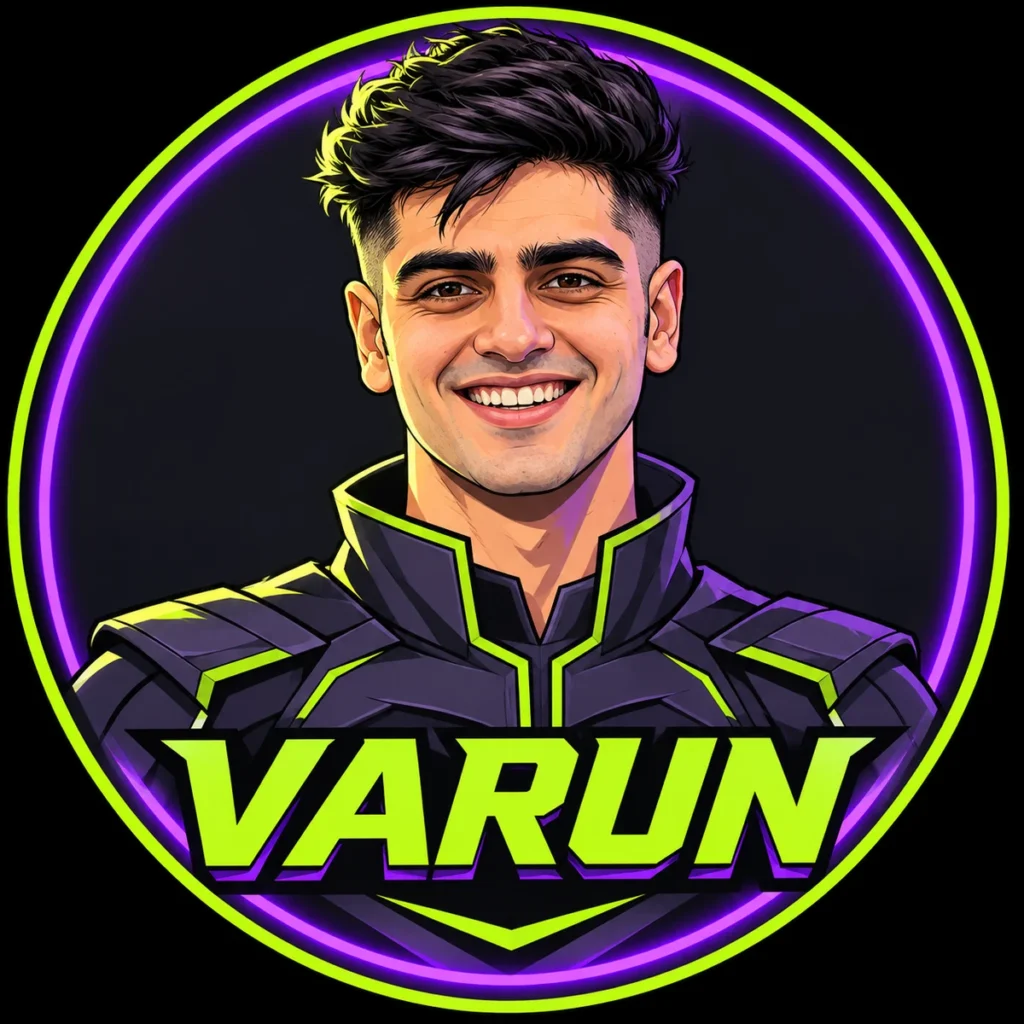
Draw the person from the chest up as an original Free Fire-style anime warrior inside a round neon emblem with an electric violet inner ring, a thin lime outer ring and a charcoal centre, turned slightly towards a bright rim light from the upper left. Print [NAME] as the only text across the lower third in large, bold gaming letters, keeping the whole word inside the circle and leaving out official game marks and team logos.

Styling: a high-collared charcoal warrior jacket with angular shoulder panels and lime piping.

Clean ink outlines, sharp violet shadows and small lime highlights, with a crisp esports badge finish. 1:1 frame. No watermark.
Collections and similar looks
Share
Help for this look
How to make it, tips, answers and quick fixes. Tap a row to open it.
What this prompt creates
Your face becomes the centre of a round gaming badge. The anime warrior wears a charcoal jacket with a high collar, angular shoulders and a thin lime trim. He turns slightly into the light, with violet shadows shaping his face and a neon ring behind him. Your gamer tag fills the bottom of the circle in heavy letters with room around the edges.
Make it yours
- Swap violet for deep blue.
- Keep the lime trim and try a white gamer tag.
- Use your short in-game nickname.
Want to know more? Read about competitive gaming on Wikipedia.
How to make this free fire esports name logo photo
- Pick a clear photo
Face towards the camera in good light. Any outfit is fine; the prompt changes it.
- Copy the prompt
Replace [NAME] with your gamer tag.
- Paste with your photo
Open ChatGPT or Gemini, upload your photo, paste and send.
- Fine-tune it
Ask for wider spaces between the letters.
Tips for this look
- Use a clear photo from the chest up.
- Pick a photo with your hairline visible.
- Keep the square crop for a round DP.
- Start with a chest-up photo.
- Keep the outline of your hair visible.
- Use a slight turn so both eyes can be seen.
Quick answers
Can I use a nickname?
Yes. Replace [NAME] with the exact tag you want.
Will the badge fit a round profile crop?
The design keeps the portrait and lettering inside the ring.
Common problems and quick fixes
😕 My face doesn’t look like me
Use a sharper, front-facing photo in daylight, then reply “keep my face exactly as in my photo, only change the scene”.
🔤 The words are spelt wrong
Reply “fix the spelling, it should read: …” with the exact words. Short names come out cleanest.
🧸 The cartoon doesn’t look like me
Reply “keep my hairstyle, face shape and skin tone in the cartoon”. A smiling, front-facing photo helps most.
👗 The outfit colour isn’t right
Use the outfit quick change, or reply “make the outfit exactly [colour]”.
More looks for boys
Similar looks, picked by style and occasion.