Coming up: Christmas
 Find my look in 3 taps

















































 💑 Couple
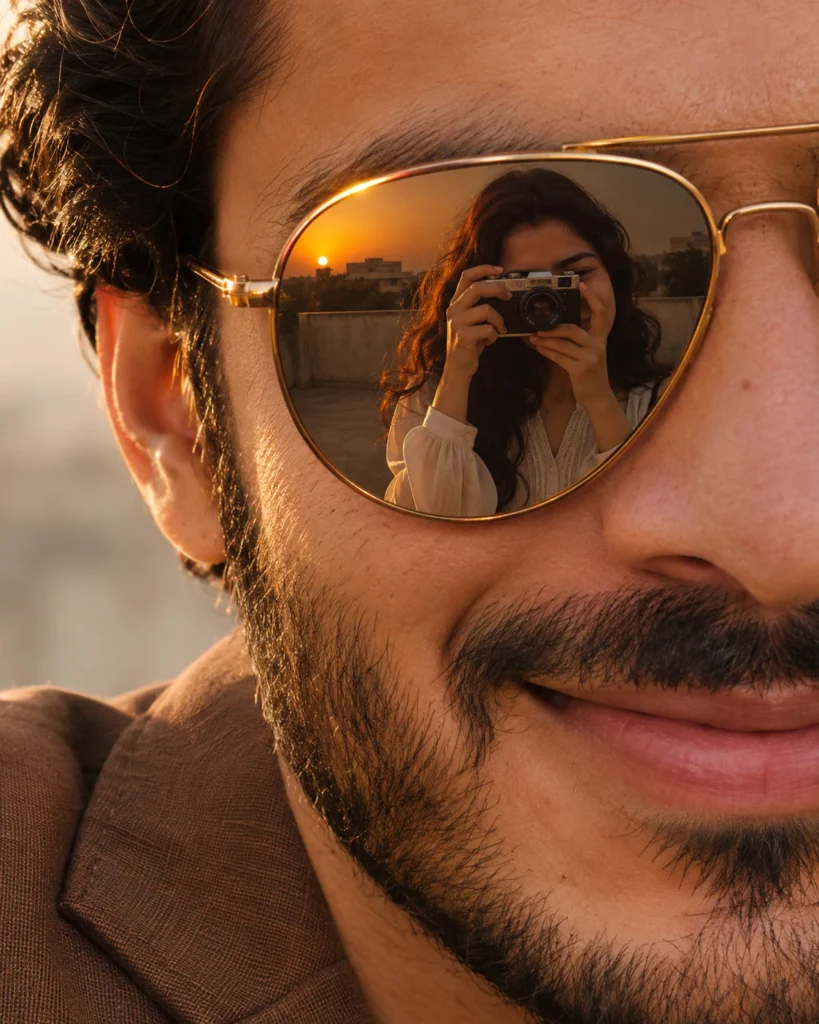
Aviator Reflection Romantic Couple AI Photo Prompt
Copy this couple AI photo prompt below and paste it into ChatGPT or Gemini with a photo of you both.
Your prompt
Edit the uploaded photo of two people. Use each person as their own identity reference and keep both faces exactly as they are: face shape, eyes, nose, lips, skin tone, age and hair. Keep the two people clearly separate; do not blend their features.

At a quiet open terrace at golden hour, frame the couple in a close crop of his smile and one sharply focused sunglass lens that reflects her taking his picture with a plain film camera. The tint hides his eyes, and the camera at her eye level partly covers her face in the reflection.

Styling: a tobacco linen jacket and gold aviators for him and an ivory blouse for her.

Low amber sun gives the gold rims a thin highlight and keeps skin texture real. Real photo look, natural skin texture, true-to-life colours, crisp detail. 4:5 frame. No lip kisses, beds, underwear, alcohol, cigarettes, brand names, logos, badges, app interface, religious elements or watermarks. Natural anatomy: each person has two arms and five fingers on each visible hand, no extra, merged or floating hands; correct reflections and shadows.
Collections and similar looks
Share
Help for this look
How to make it, tips, answers and quick fixes. Tap a row to open it.
What this prompt creates
A gold rim and the lower part of his smile take up most of the crop. Inside one of his tinted lenses, you can see her raising a film camera to eye level, a little of her face peeking out around it. Late sun lights his skin and catches the frame, with only a hint of the open terrace around you.
Make it yours
- Try a slightly warmer lens tint.
- Keep her reflection within one lens.
- Use a sand-coloured linen jacket.
Want to know more? Read about aviator sunglasses on Wikipedia.
How to make this aviator reflection romantic couple photo
- Pick a clear photo of you both
Face towards the camera in good light. Any outfit is fine; the prompt changes it.
- Copy the prompt
Try a slightly warmer lens tint.
- Paste with your photo
For ChatGPT & Gemini, open your preferred app, upload your photos, then paste and send.
- Fine-tune it
Keep her reflection within one lens.
Tips for this look
- Pick a natural smile for him.
- Use an angled face reference for her.
- Check the reflected camera is held at eye height.
- Give him a reference with a small smile.
- Choose an eye-level picture of her.
- Upload a separate lens detail if the frames are yours.
Quick answers
Will our eyes show?
His eyes stay behind the tinted lenses and her camera covers part of her face.
Can the reflection fill the frame?
Keep a little of the gold rim and his smile so the reflection makes sense.
Common problems and quick fixes
👥 Our faces got mixed
Keep the first lines of the prompt: they tell the tool to keep you two separate. Two separate clear photos also help.
🔤 The words are spelt wrong
Reply “fix the spelling, it should read: …” with the exact words. Short names come out cleanest.
✋ Hands or fingers look odd
Reply “fix the hands and fingers, keep everything else the same”.
👗 The outfit colour isn’t right
Use the outfit quick change, or reply “make the outfit exactly [colour]”.
More couple looks
Similar looks, picked by style and occasion.