Coming up: Christmas
 Find my look in 3 taps

















































 Boys
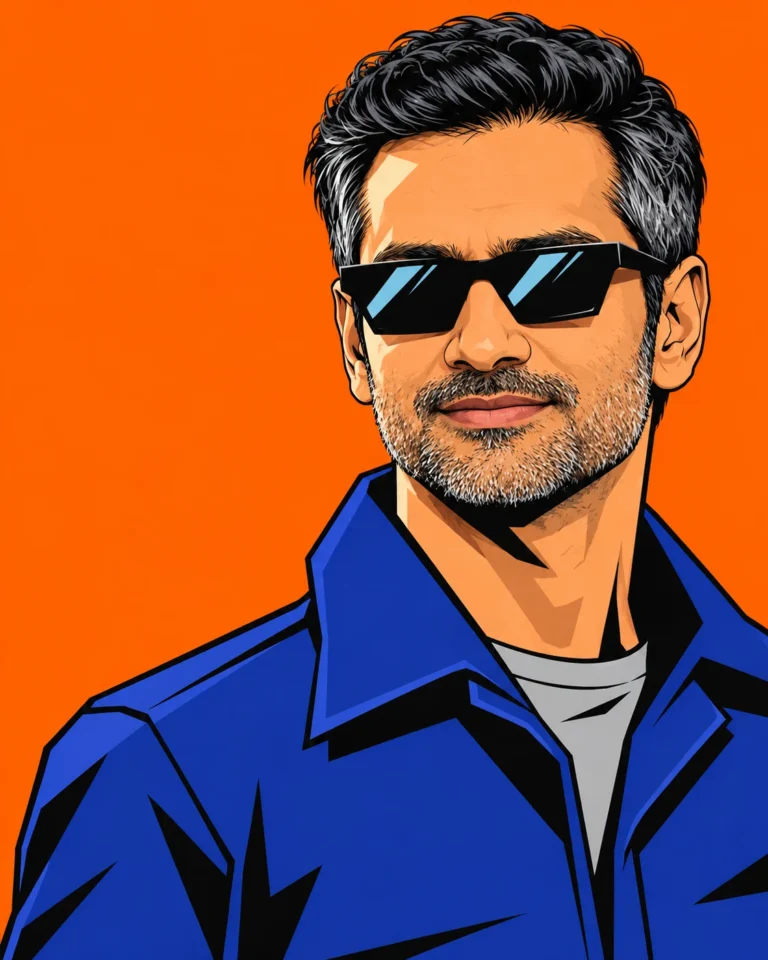
Vector Caricature Name Logo AI Photo Prompt for Boys
Copy this AI photo prompt for boys below and paste it into ChatGPT or Gemini with your own photo.
Your prompt
Edit the uploaded photo. Use the person in it as the identity reference. Keep their face shape, eyes, nose, lips, skin tone, age and hair exactly as they are. No face reshaping, no plastic-smooth skin.

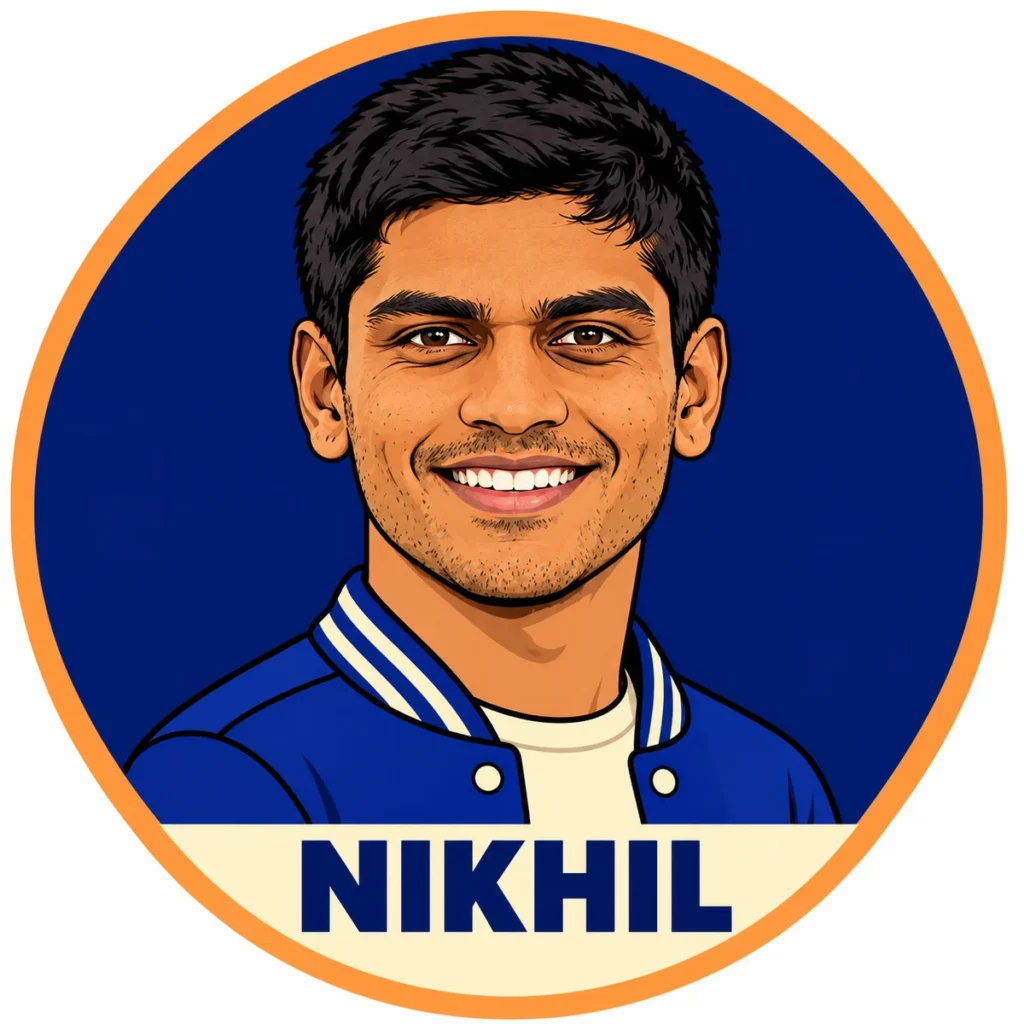
Draw the person as a big-head vector caricature inside a bold ink-blue circular badge with a thick apricot rim and a cream name strip inside the lower edge, with a broad grin and small shoulders turned slightly left. Set '[NAME]' in strong uppercase block letters centred on the name strip and keep the lettering and the whole circle inside the square frame.

Styling: a cobalt varsity jacket over a plain cream T-shirt.

Flat ink-blue, apricot and cream shapes, clean outlines and clear contrast at profile-picture size. 1:1 frame. No watermark.
Collections and similar looks
Share
Help for this look
How to make it, tips, answers and quick fixes. Tap a row to open it.
What this prompt creates
Your grin becomes the centre of a square vector badge. An oversized head and small shoulders in a cobalt varsity jacket sit inside an ink-blue circle edged in apricot. The shoulders turn slightly left, and a cream strip follows the lower part of the badge with your name in bold uppercase letters. Flat colour shapes and crisp outlines keep both the face and the name easy to pick out.
Make it yours
- Use initials in place of your full name.
- Swap the apricot rim for mint.
- Draw a cream varsity jacket over a cobalt T-shirt.
Want to know more? Read about caricature drawing on Wikipedia.
How to make this vector caricature name logo photo
- Pick a clear photo
Face towards the camera in good light. Any outfit is fine; the prompt changes it.
- Copy the prompt
Replace [NAME] with your own name.
- Paste with your photo
Open ChatGPT & Gemini, upload your photo, paste and send.
- Fine-tune it
Use a short name so the letters have space.
Tips for this look
- Choose a clear photo with a natural grin.
- Keep the hairstyle visible.
- Use 1:1 and leave room around the badge.
- Pick a photo where your usual smile shows.
- Keep your whole haircut visible.
- Use a clear photo without a face filter.
Quick answers
Can I use initials?
Yes. Put your initials in the name field and keep them centred.
Can I fit it inside a round profile crop?
Ask for an even margin between the badge and the edge of the square.
Common problems and quick fixes
😕 My face doesn’t look like me
Use a sharper, front-facing photo in daylight, then reply “keep my face exactly as in my photo, only change the scene”.
🔤 The words are spelt wrong
Reply “fix the spelling, it should read: …” with the exact words. Short names come out cleanest.
👗 The outfit colour isn’t right
Use the outfit quick change, or reply “make the outfit exactly [colour]”.
🎨 Skin looks too smooth
Reply “keep my natural skin texture, no beauty filter”. Small follow-ups work better than starting over.
More looks for boys
Similar looks, picked by style and occasion.